 EveryGen AI
EveryGen AI Xiaohongshu 指南:用 GPT-Image-2 制作六页内容
用 EveryGen AI 规划 Xiaohongshu 网格帖子。准备独立发布图片前,检查文案、分镜顺序、切分及来源尺寸。
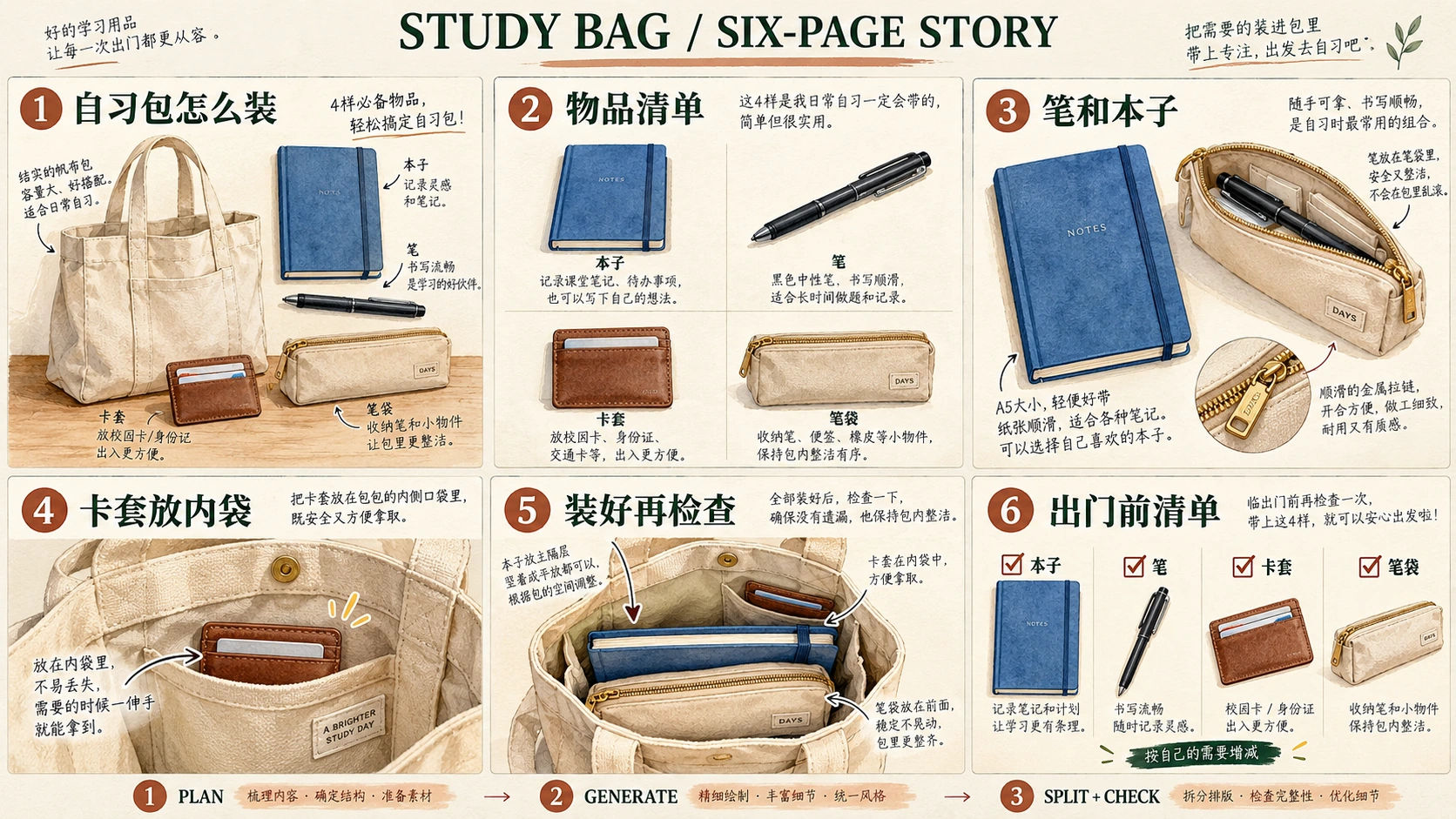
EveryGen AI 轮播需要不同且有用的页面、可识别物体、可读文案与有意安排的阅读顺序,不只是风格匹配的图片。
此 EveryGen AI 教程发展 自习包怎么装,一份六页中文自习包说明。规划、生成、检查,再组合六张独立图片,供后续平台预览。
六张插画是 Codex 生成的教学图片,不是 EveryGen AI 测试输出、真实商品照片或包容量测试证据。
1. 给每页不同任务
请求匹配画面前,先为每页分配任务。
Canva 指南帮助规划 Rednote 帖子的文字与图片,区分概括封面与不同内页布局。在 EveryGen AI 应用这个区别:先介绍物品清单,再解释摆放,最后用核对清单收尾。
单独保留已确认 EveryGen AI 文案:
| 页面 | 精确标题 | 精确辅助文字 | 页面任务 |
|---|---|---|---|
| 01 | 自习包怎么装 | 四件小物,按位置整理 | 介绍包及四件内容物。 |
| 02 | 先摊开看 | 本子、笔、卡套、笔袋 | 装包前识别四件物品。 |
| 03 | 笔和本子先配好 | 把笔收入笔袋 | 展示笔放在哪里。 |
| 04 | 卡套留在好拿处 | 放进内袋,方便取用 | 解释卡套位置。 |
| 05 | 装好后的样子 | 本子和笔袋放主袋,卡套放内袋 | 展示装好布局。 |
| 06 | 出门前再核对 | 清单:本子、笔、卡套、笔袋 · 页脚:按自己的需要增减 | 提供最后核对清单。 |
在 EveryGen AI 画面中保留 01 至 06 的前导零。
一次定义物体
把 EveryGen AI 参考定义为一个米色帆布托特包,两个提手、一个内袋,装一本蓝本子、一支黑笔、一个纯棕色卡套及一个米色拉链笔袋。
在 EveryGen AI 清单中,包是容器,不是第五件物品。卡套不要个人信息或虚构证件号码。
保持 EveryGen AI 物体设计一致,同时改变可见度。内袋近景无需包括本子;笔在笔袋内时,不应同时在外面散放。
2. 在 EveryGen AI 设置一个竖版页面
打开 EveryGen AI,设计社交轮播的一页。
从 EveryGen AI 的 Text to Image、GPT Image 2 开始。将 1:1 改为 3:4,然后使用:
| 设置 | 此示例选择 |
|---|---|
| 模式 | Text to Image |
| 模型 | GPT Image 2 |
| 宽高比 | 3:4 竖版 |
| 分辨率预设 | 1K |
| 输出格式 | JPEG |
| 输出数量 | x1 |
3:4 是这个 EveryGen AI 示例的选择,不是 Xiaohongshu 强制格式。
EveryGen AI 的 x1 请求一张图片。为每页使用不同简报重复请求;它不生成、排序或发布完整系列。
教学素材不确立 EveryGen AI 导出尺寸或文件选项。
3. 组合一个共同提示词与一个页面简报
使用 EveryGen AI 共同视觉提示词,加上恰好一个页面简报。
独立页面分别提交。可选网格路径使用全部六份简报、等单元格指令及外部切分。
Create exactly one standalone 3:4 portrait page for a Chinese-language illustrated study-bag explainer.

This request is for the single page described in the page brief appended below.
Do not generate the whole series, a collage of pages, or multiple alternative designs.

Shared visual style:
Use a milky off-white background, dark-green headings, and soft watercolor-style illustrations.
Keep the page clean, with generous outer margins and clear separation between text and pictures.
Make the heading prominent and the supporting text readable.
Show the two-digit page number once in a consistent, unobtrusive position.
Keep the page flat, without a phone frame or perspective mockup.

Shared object designs:
- One beige canvas tote with two handles and one inner pocket.
- One blue notebook.
- One black pen.
- One plain brown cardholder with no text or personal information.
- One beige zippered pencil pouch.

Show only the objects and object states requested in the appended page brief.
Do not add duplicates merely to make hidden contents visible.
Keep the colors, shapes, and bag construction consistent wherever they are shown.

Text:
Render only the exact Chinese text and page number supplied in the appended brief.
Preserve every character and punctuation mark.
Do not translate the copy or add English captions.
Do not print instruction labels such as Heading, Page number, or Supporting text.
Keep all lettering away from the page edges and illustration details.

If a reference image is attached:
Use it to guide the object designs, colors, and illustration style.
Replace its old copy and composition with the new page brief.
Do not carry over a previous page number or heading.

Exclusions:
No people, hands, brands, prices, capacity measurements, testimonials, engagement claims, or extra stationery. Small material-detail insets may magnify existing objects without adding new inventory.
Do not portray the illustration as a photograph or a tested product arrangement.
继续前保存并检查每个 EveryGen AI 候选。共同指令定义审阅标准,不保证文字或物体一致。
4. 按顺序制作六页
页面 01:介绍主题与物品清单
把封面简报附到共同提示词后:
Page number:
01

Heading:
自习包怎么装

Supporting text:
四件小物,按位置整理

Illustration:
Show the beige canvas tote with two handles and its single inner pocket.
Outside the bag, arrange exactly four separate items:
one blue notebook, one black pen, one plain brown cardholder, and one beige zippered pencil pouch.

Keep the items identifiable and distinct from one another.
Use a cover composition with enough space for the heading and short supporting text.
Do not put duplicate contents inside the bag.
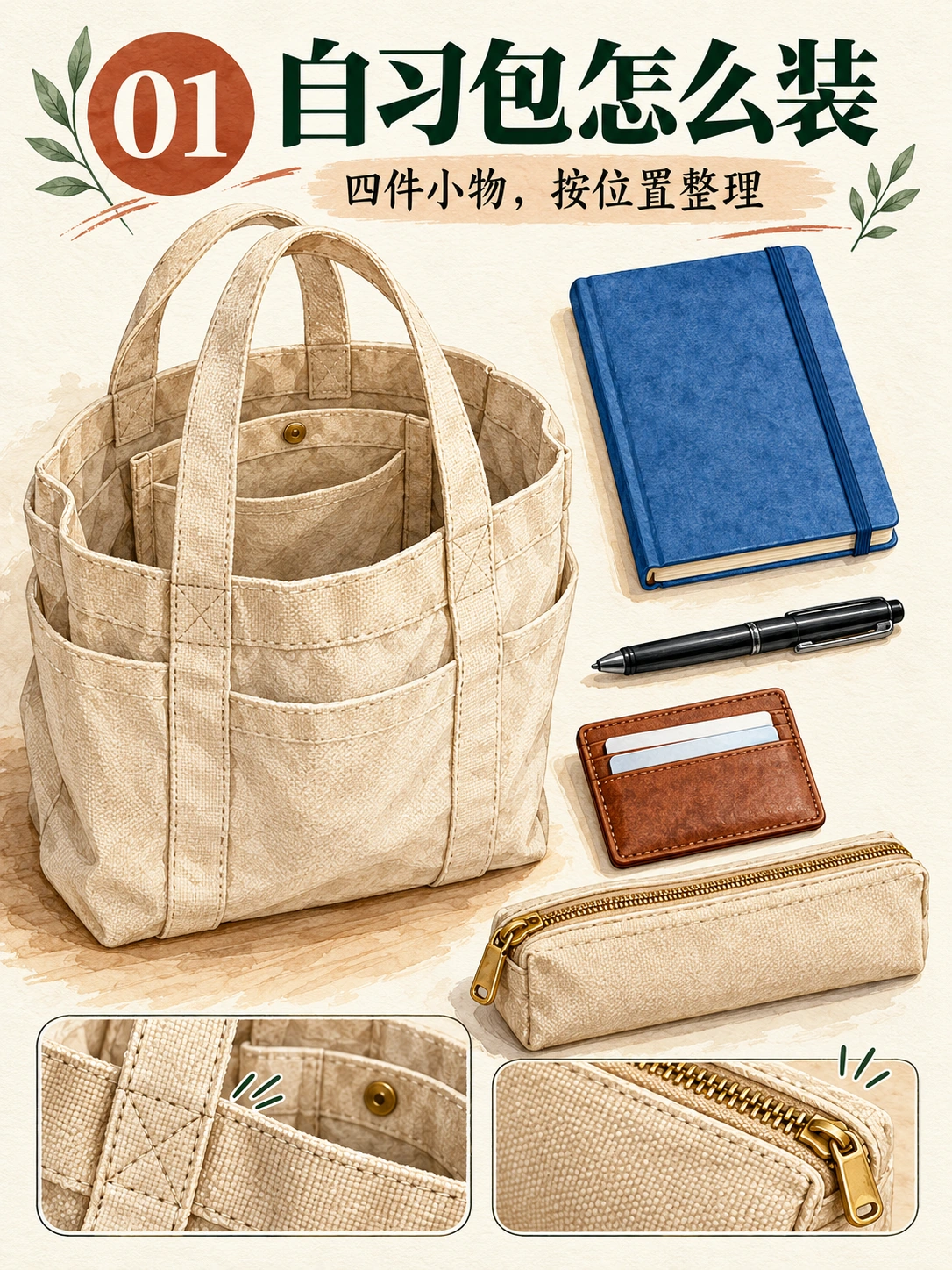
Codex 生成的教学页面 01。封面确立容器与四件物品清单。
用封面作参考前,检查 EveryGen AI 的提手、内袋及四件独立内容物。尽早排除错误设计。
页面 02:分开四件物品
附加此清单简报:
Page number:
02

Heading:
先摊开看

Supporting text:
本子、笔、卡套、笔袋

Illustration:
Show exactly four objects in a spacious 2-by-2 flat lay:
one blue notebook, one black pen, one plain brown cardholder, and one beige zippered pencil pouch.

Keep each object separate and fully recognizable.
Use the same object designs established for the series.
Do not show the tote, duplicate items, or add individual text labels.
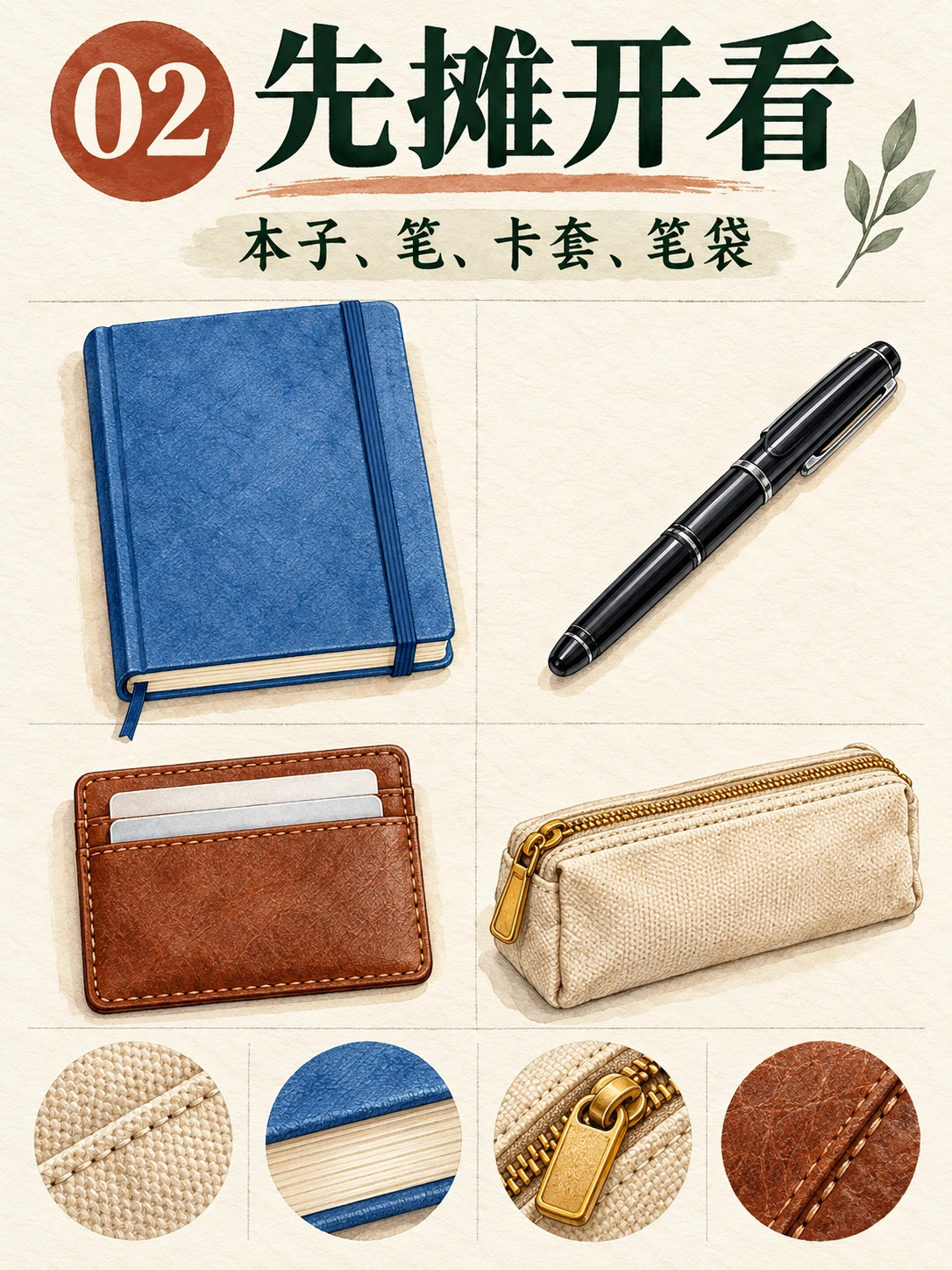
Codex 生成的教学页面 02。此视图去掉包,让四件内容物更易识别。
将 EveryGen AI 物体设计与页面 01 比较。布局应改变;本子、笔、卡套与笔袋身份应保留。
页面 03:展示笔的去处
附加收纳简报:
Page number:
03

Heading:
笔和本子先配好

Supporting text:
把笔收入笔袋

Illustration:
Place the blue notebook beside the beige pencil pouch.
Show the pouch open, with exactly one black pen visible inside it.

Do not show another pen outside the pouch.
Do not include the tote or cardholder.
Keep the pouch design consistent with the earlier pages.
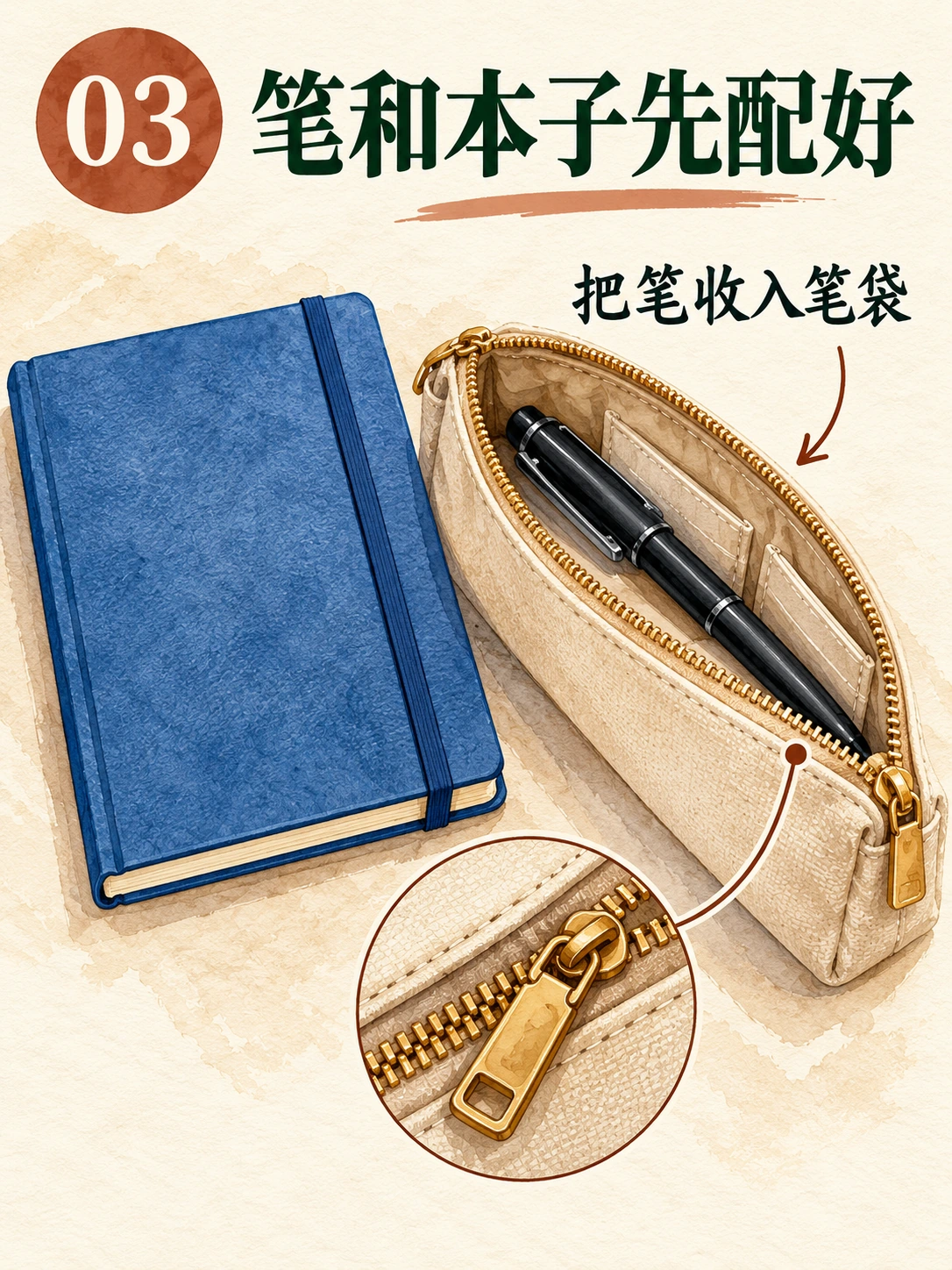
Codex 生成的教学页面 03。笔在打开笔袋内,不是额外散放物品。
检查 EveryGen AI 图片是否展示收纳。空笔袋旁一支散笔,传达的是不同动作。
页面 04:解释内袋
附加内袋简报:
Page number:
04

Heading:
卡套留在好拿处

Supporting text:
放进内袋,方便取用

Illustration:
Show a close-up of the beige tote's single inner pocket.
Place the plain brown cardholder halfway into that pocket so its location and opening are clear.

The pocket must belong to the same tote, not be a separate pouch.
Do not add extra pockets, readable cards, personal details, or other contents.
The close-up may crop the outer bag where necessary.
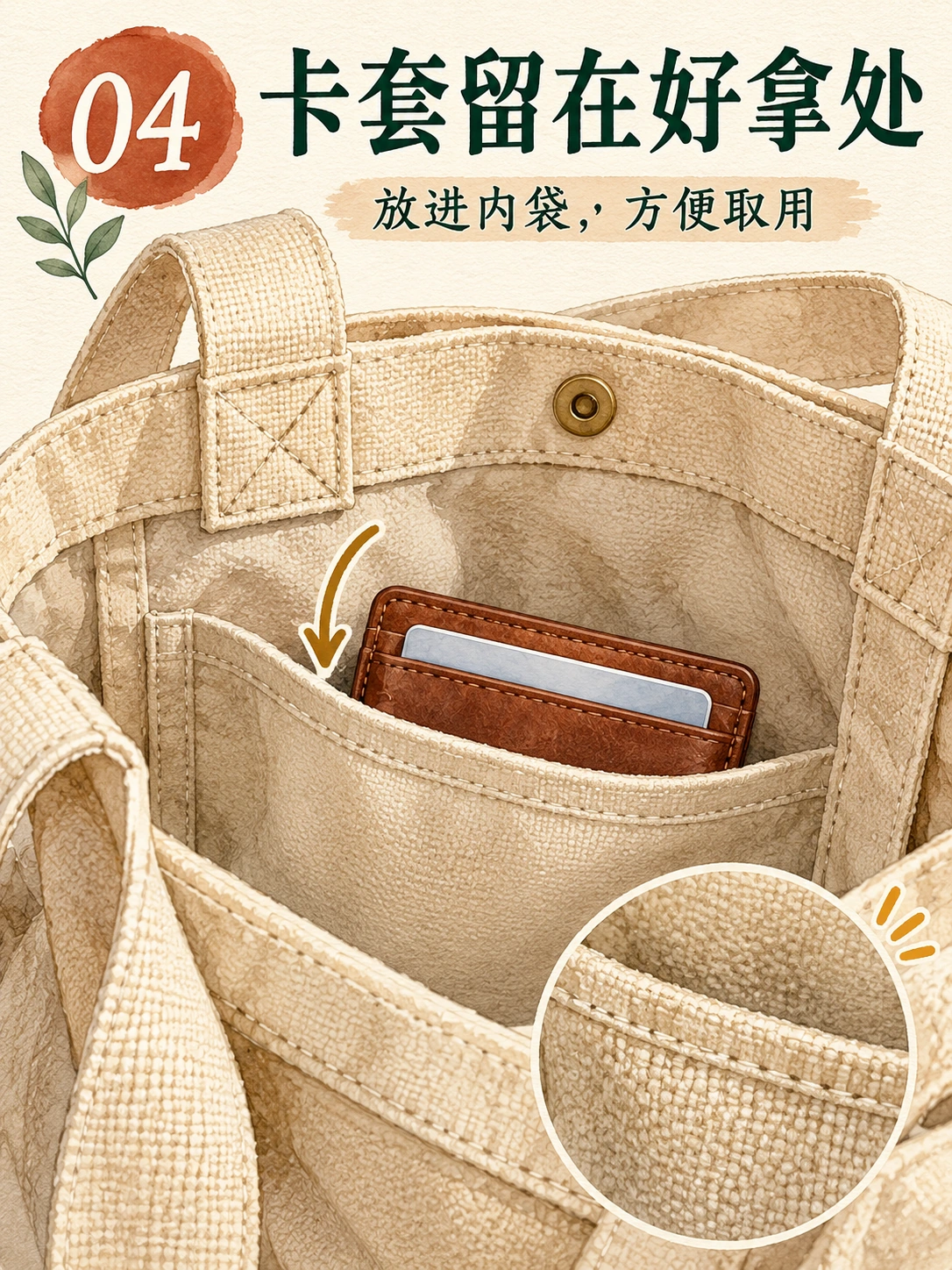
Codex 生成的教学页面 04。近景指出卡套预期收纳位置。
近景可以省略提手。检查 EveryGen AI 展示既定包的内袋,以及插在其中的卡套,不是悬在前方。
页面 05:展示装好状态
附加装好状态简报:
Page number:
05

Heading:
装好后的样子

Supporting text:
本子和笔袋放主袋,卡套放内袋

Illustration:
Show the beige tote open enough to inspect its contents.
Place the blue notebook and closed beige pencil pouch in the main compartment.
Place the brown cardholder in the single inner pocket.

The black pen is already inside the closed pencil pouch and must not appear separately.
Do not make the pouch transparent or add a loose pen to display all four items.
Retain the tote's two-handle, one-inner-pocket construction.
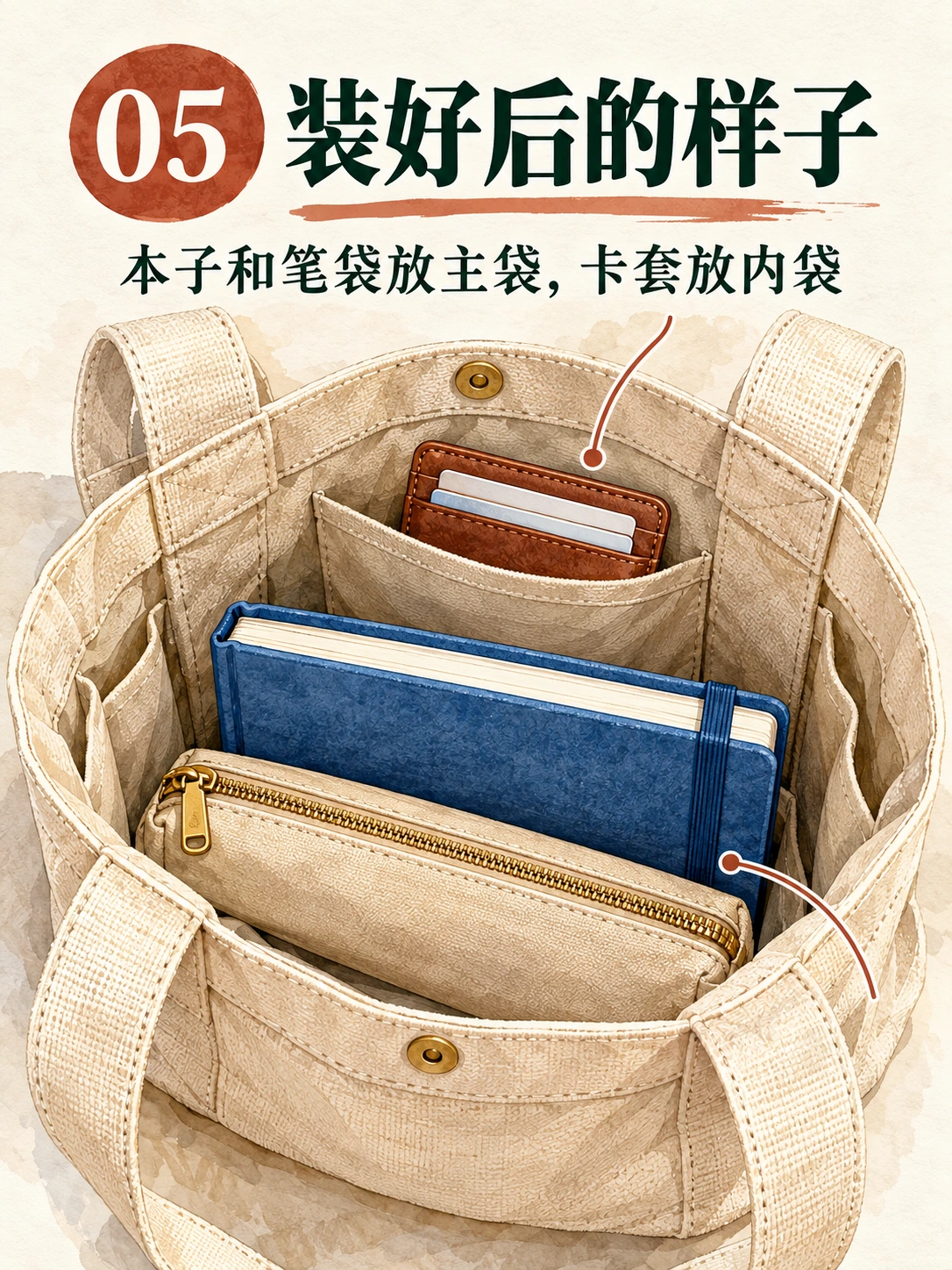
Codex 生成的教学页面 05。笔表示为装在关闭笔袋内,不在外面重复。这是布局插画,不是容量测试。
EveryGen AI 审阅时,将页面 05 与页面 03 比较:笔先在打开笔袋中,关闭后被遮住。
页面 06:用可用清单收尾
附加核对清单简报:
Page number:
06

Heading:
出门前再核对

Checklist labels, in this order:
本子
笔
卡套
笔袋

Footer:
按自己的需要增减

Layout:
Create four clearly separated checklist rows.
Give each row one square checkbox, its exact Chinese label, and one corresponding watercolor illustration.

Use a blue notebook for 本子, a black pen for 笔, a plain brown cardholder for 卡套, and a beige zippered pouch for 笔袋.

This is an inventory reminder, not another packed-bag view.
Do not show the tote or add a fifth row.
Keep the footer readable and inside the page margins.
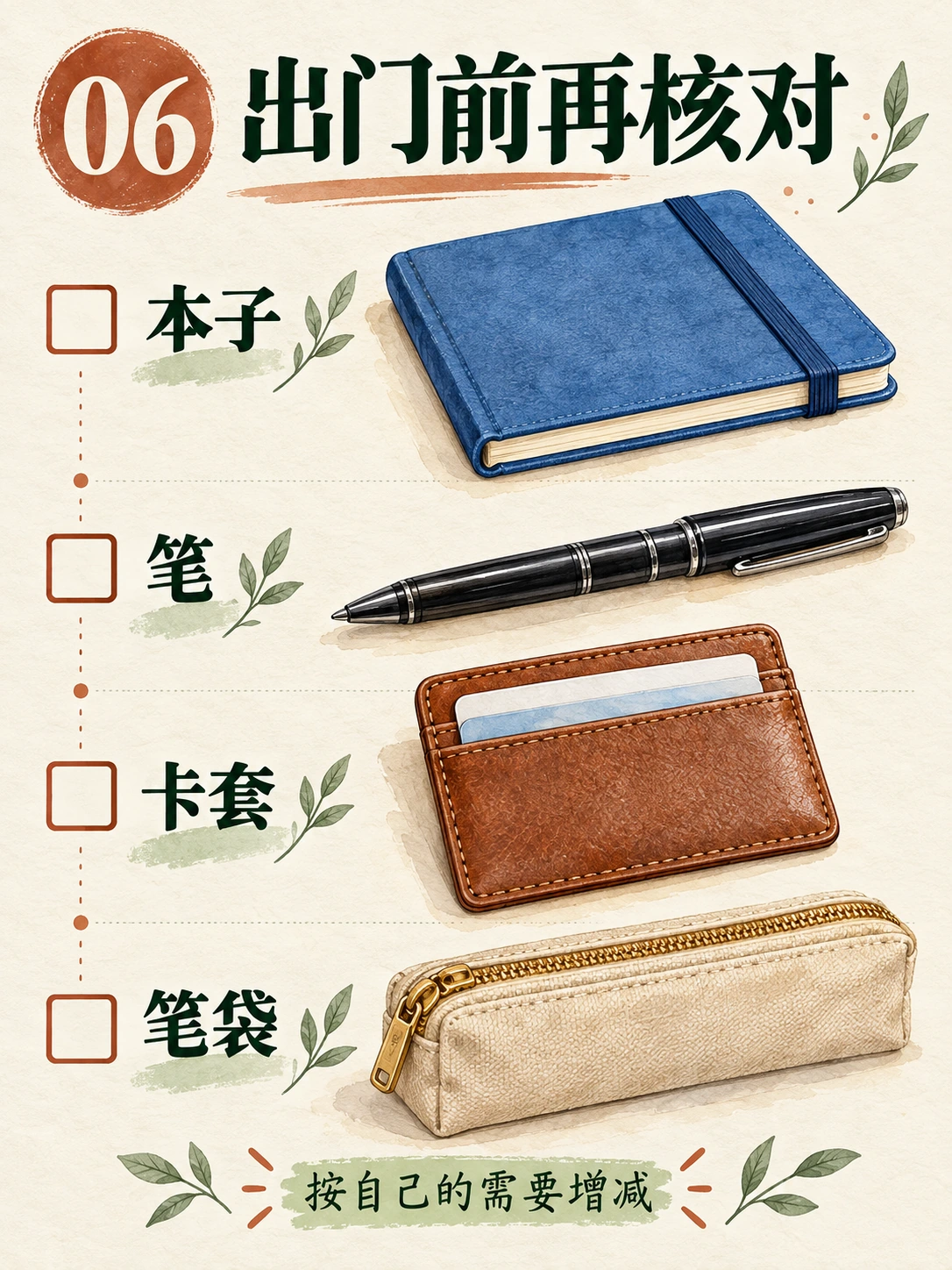
Codex 生成的教学页面 06。独立笔插画是清单符号,不声称装了第二支笔。
检查 EveryGen AI 行顺序、标签与图片配对及页脚。最后一句让读者调整物品清单。
5. 使用参考,不假定模型记住系列
选择可接受封面或物品清单页,把 EveryGen AI 切换 Image to Image,把选定物体带入下一页。
上传认可文件,附新简报,确认 EveryGen AI 设置。指定延续什么——物体与风格——以及改变什么:文案、编号、构图与状态。
页面 02 为页面 03 提供独立物体;页面 04 为页面 05 定义内袋。
EveryGen AI 需要实际参考,不是“与之前相同”。即使附图也不锁定设计;把候选与认可物体比较。
EveryGen AI 内袋或笔袋偏离时,返回最后认可参考。复用有缺陷图片会传播错误。
6. 检查单页与整个序列
按顺序审阅 EveryGen AI 导出,不只看文件夹缩略图。
内容: EveryGen AI 页面 03 与 04 解释摆放,不应重复封面物品清单。
物体身份: 比较 EveryGen AI 本子、笔、卡套、笔袋及可见包结构,检查多余内袋、改变封口或替换设计。
物体状态: EveryGen AI 页面 02 展示散放物品;页面 03 收笔;页面 05 隐藏笔;页面 06 使用清单符号。
中文文案与编号: 逐字比较 EveryGen AI 文字,包括标点及前导零。留意早先参考标题是否残留。
边距与阅读尺寸: 比较 EveryGen AI 文件间距、标题位置与字号。在手机检查;需要放大才能读的文字应修改。
追求含义与设计一致,不是相同构图。
修复具体失败
| 问题 | 下一动作 |
|---|---|
| 页面 03 笔袋里有笔,旁边又有一支。 | 去掉外面重复笔,保留内侧单支。之后重新检查本子与文字。 |
| 页面 04 内袋变成独立包。 | 返回认可托特包参考,指定内袋连接该包内衬。 |
| 页面 05 关闭笔袋外有散笔。 | 要求移除可见笔,不改变装好的本子、笔袋或卡套。 |
| 页码或中文错误。 | 请求精确替换。仍不可靠时,在外部排字。 |
| 修正改变了先前认可物体。 | 排除此版本,返回保存起点,不要意外接受新设计。 |
| 每页都像封面。 | 返回页面计划,重建缺失近景、装好状态或清单。 |
对于 EveryGen AI 页面 05 重复笔错误,使用:
Edit the uploaded Page 05.

Remove any loose black pen visible outside the closed beige pencil pouch.
The single pen is already packed inside that pouch; do not reveal it or make the pouch transparent.

Keep the blue notebook and closed pouch in the main compartment, and the brown cardholder in the inner pocket.

Retain the exact text:
装好后的样子
05
本子和笔袋放主袋,卡套放内袋

Preserve the 3:4 layout, bag construction, and watercolor treatment.
Do not add objects or text.
EveryGen AI 针对请求变化,不保护其他区域。重新检查整页。
图片编辑不够精确时使用真实文字
EveryGen AI JPEG 文字是画出来的文字。导入设计应用,不会将词句与插画分离为可编辑对象。
EveryGen AI 文字持续错误时,干净覆盖或去掉错误字,在外部排字。使用包含所有所需字符的字体,再对照已确认文案。
清理失败时,在外部重建插画与文字布局;保留可编辑来源。
7. 在外部组合六页,不是一个六格海报
在外部布局文档组合认可 EveryGen AI 页面,对齐呈现并检查顺序。
在 Adobe Express 组合与重新排序页面,使用 Add page → Same size 或 Custom size。View all pages 提供页面管理,包括排序与复制。
使用共同 3:4 画布。放置每张 EveryGen AI 图片,不拉伸画面、不裁掉中文。
导入位图页仍是图片。只有独立重建的文字与形状才成为可编辑元素。
交付 EveryGen AI 集合中的六张独立图片文件。审阅文档或联系表不能替代这些页面,也不会自动切分画面。
8. 导出并验证实际文件
EveryGen AI JPEG 导出可使用这些文件名:
01-cover.jpg
02-inventory.jpg
03-pen-and-notebook.jpg
04-cardholder-pocket.jpg
05-packed-bag.jpg
06-checklist.jpg
保留认可原图与可编辑来源。确认六个完成文件,不是五个加一份重复候选。
重开全部 EveryGen AI 导出,检查共同画布尺寸、编号、完整文字及物体状态。审阅手机与桌面可读性,包括辅助文字及清单标签。
文件名排序不保证平台上传顺序。检查实际发布预览的序列、封面、裁切及当前要求;仅准备文件不能验证这些。
将 EveryGen AI 页面计划与图片一起保留。描述为插画装包指南,不要暗示个人商品评测、测量容量测试或真实自习经历。
六个不同且可读页面解释清单与摆放,没有重复物体、缺指令或文件不匹配时,才完成。
可选三步网格流程,含自动切分
也可用规划 → 生成 → 切分并检查。EveryGen AI 生成一张网格图,外部编辑器或工具切分。这与独立页面是不同流程。
- 规划: 保留六个已确认标题与页码,选择两列三行。为得到 3:4 竖版单元格,完整网格宽高比必须为 1:2。
- 生成: 将共同风格与全部六页简报结合。明确要求六个等大小单元格,按行优先顺序,无外部总标题、无装饰缝隙、无跨单元格内容。检查实际输出;请求几何不保证实现。
- 切分并检查: 在外部网格切分工具打开整图,选择两列三行,预览裁切线,一次导出全部六格。命名 01–06,逐个以完整尺寸检查。生成间距不均时,手动调整边界或使用独立页面路径。
对齐的 2160 × 4320 整图,会得到六个 1080 × 1440 单元格。这个几何示例不承诺任何 EveryGen AI 预设或分辨率。各裁切共享整图总像素;切分不会增加细节。
横版封面通过标题与制作说明条展示概念,不是等单元格切分来源;应使用专门网格或独立教学页。