 EveryGen AI
Humanize AI writing for clearer invitations and updates with EveryGen AI
An invitation should make the next step easy to understand. Use EveryGen AI to humanize AI writing while keeping the message you meant to send. Paste a draft, choose a tone, and compare the same-language revision with your original before copying or saving it.
Introduction
What it means to humanize AI writing
The aim in EveryGen AI is to humanize AI wording through clearer expression, not disguised authorship. Start with a message worth communicating, then consider how readers will understand it.
Start with a real message
A community garden coordinator has the details but an awkward invitation. When you humanize AI wording in EveryGen AI, replace distant language such as "participation is requested" with a direct invitation to help. The gardening plan itself should stay the same.
- Before submitting in EveryGen AI, keep the purpose: invite neighbors to help.
Edit language, not authorship
Bring your own intention, examples, and judgment to EveryGen AI. You can humanize AI drafts without suggesting that an editor lived your experiences or made your decisions. Accept smoother wording only when you can stand behind its meaning and promises.
- Treat the revision as a draft to review.
Work with text directly
To humanize AI writing, paste into the left editor and inspect the revision on the right. This text task in EveryGen AI uses Gemini 2.5 Flash through fal. It works with your supplied words; no image or video generation is involved.
- Start with the words you already have.

How to use
How to humanize AI writing with EveryGen AI
- STEP 1
Paste the original
Paste your draft into the left editor in EveryGen AI to humanize AI writing. Keep the original paragraphs and essential details together.
- STEP 2
Choose your tone
Choose Natural, Friendly, or Professional in EveryGen AI to humanize AI text for your audience, without requesting translation or new facts.
- STEP 3
Submit this version
Sign in to EveryGen AI and click Humanize to humanize AI wording. Later editor changes stay separate from the input already submitted.
- STEP 4
Review and keep
After you humanize AI writing, compare the EveryGen AI revision with its submitted original. Check meaning and details, then copy or download TXT.

Features
Make invitations clearer when you humanize AI writing
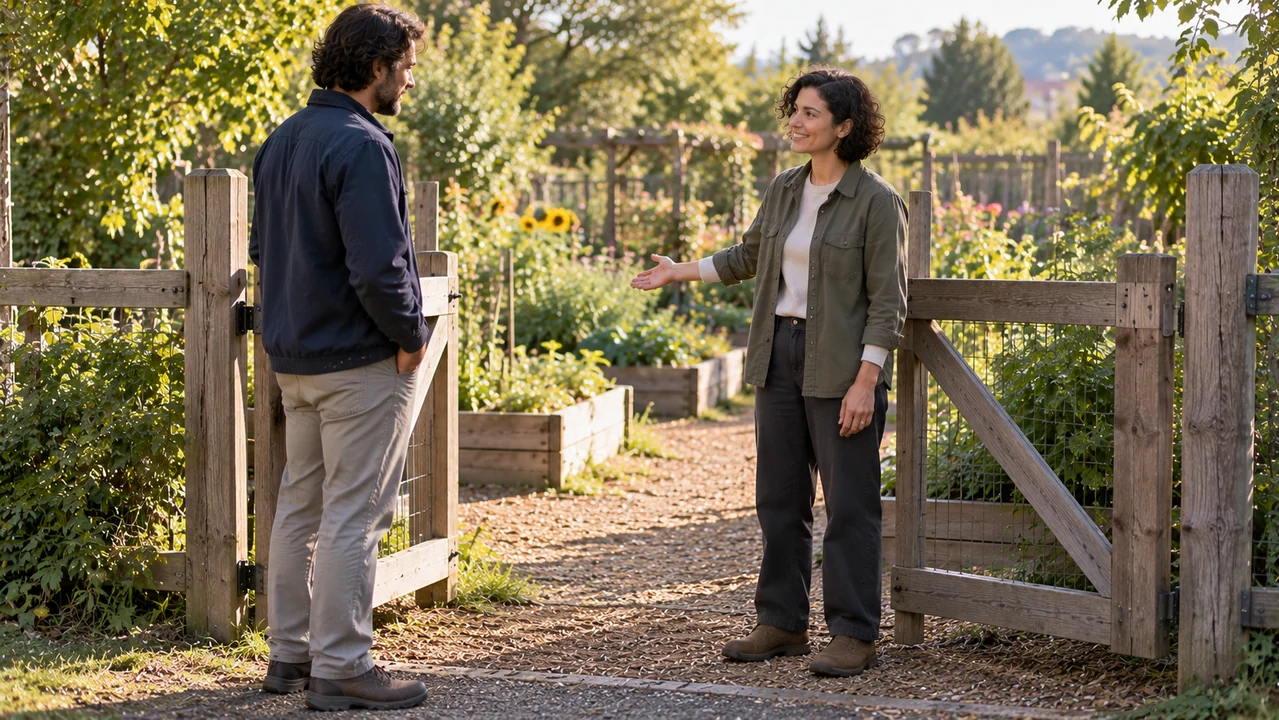
Picture a neighbor deciding whether to join a garden session. Use EveryGen AI to humanize AI text around that decision: what is happening, where to go, and how to reply.
Lead with the invitation
An opening about organizational arrangements delays the actual request. When you humanize AI copy with EveryGen AI, look for a clear actor and action: we are inviting you to plant seedlings. Keep the invitation direct without adding excitement the coordinator never expressed.
- Read the EveryGen AI revision as a neighbor seeing this invitation for the first time.
Make practical details easy to find
A welcoming invitation still needs the original meeting time, entrance, duration, and equipment information. Ask EveryGen AI to humanize AI sentences around those details, not replace them with vague suggestions. Concrete information can make a first visit feel more approachable than extra compliments.
- Let practical details do some of the welcoming.
Leave one clear next action
Keep the source's reply method and deadline when you humanize AI wording. Your EveryGen AI revision should still ask the same thing of the neighbor. An optional visit must not become a firm commitment, and a stronger ending must not invent a booking requirement.
- Check what you are actually asking readers to do.
Keep facts intact as you humanize AI drafts
EveryGen AI is instructed to preserve meaning, names, numbers, quotations, links, and paragraphs. When you humanize AI text, verify those details against the submitted original rather than assuming perfect preservation.
Names, times, and quantities
Maya Chen, 10:00, 12 pots, and the Willow Lane entrance each carry specific information in the garden example. To humanize AI prose responsibly with EveryGen AI, compare every detail with the source. Confirm that meeting and finishing times still describe the correct activities.
- Check each name and number in the EveryGen AI result against the source.
Quoted words stay quoted
Maya's line "Bring gloves if you have them" should remain intact, with its attribution. Use EveryGen AI to humanize AI sentences around the quotation, not rewrite the speaker's words. Preserve citation markers and their connection to the relevant claim when your draft includes them.
- Do not polish a quotation into new wording.
Links and paragraph boundaries
Keep supplied addresses and paragraph divisions when you humanize AI text. A link in EveryGen AI is content to retain, not an instruction to fetch a webpage. The workspace does not browse linked pages or verify the evidence behind a statement in your draft.
- Compare links exactly; retain each paragraph's role.

Choose a voice before you humanize AI text
Natural is the default in EveryGen AI. Friendly and Professional change the editing direction, not the facts. Choose a tone to humanize AI writing for the relationship you actually have.
Natural for everyday clarity
Choose Natural in EveryGen AI to humanize AI phrasing that feels unnecessarily formal. For the garden invitation, look for familiar vocabulary and comfortable sentence rhythm. An approachable note does not need invented jokes, personal stories, or extra compliments to make its purpose clear.
- Keep a straightforward invitation straightforward.
Friendly for a welcoming note
Friendly can help you humanize AI wording for neighbors joining for the first time. Review any warmth added by EveryGen AI: tools are available in the practice invitation, but refreshments and supervision are not stated. Welcoming language should never create those additional commitments.
- Check that the EveryGen AI revision welcomes readers without promising something new.
Professional for clear coordination
Use Professional to humanize AI updates for a venue contact or volunteer partner. In EveryGen AI, aim for courteous, organized language rather than elaborate formality. Keep requests explicit and distinguish confirmed arrangements from proposals or deliveries that still need confirmation.
- Do not make tentative plans sound final.

Read for meaning after you humanize AI writing
A pleasant revision still needs an editor. After using EveryGen AI to humanize AI text, check the message first, then read each paragraph aloud yourself to judge its rhythm.
Check responsibility and certainty
Compare who is doing what before and after you humanize AI wording. The volunteer update says seedlings are expected, not confirmed, and an additional bed is only possible. Review the EveryGen AI result for small words such as may, must, only, and not.
- Check permissions, obligations, and uncertainty first.
Read one paragraph at a time
Once you humanize AI writing with EveryGen AI, check whether each paragraph still performs its original job: invitation, logistics, or reply request. Read aloud to catch awkward pauses or repeated phrases. This is your own review, not a built-in audio feature.
- Judge the EveryGen AI draft by clarity, not a supposedly human score.
Separate edits from submitted work
You can keep editing the left-hand draft in EveryGen AI while a request runs, but those changes do not alter the submitted text. Before you humanize AI wording again, decide which version needs review. Compare the existing result with the version actually sent.
- Submit the next version deliberately.

Copy and save after you humanize AI text
Finishing means choosing words you are ready to use. When you humanize AI writing in EveryGen AI, the result remains a draft for your communication, not an automatically sent message.
Copy into your own destination
Use Copy to take reviewed wording from EveryGen AI into your email editor. You can humanize AI text here and make final personal adjustments there. Before sending it yourself, check the greeting, paragraph spacing, and reply details in the destination where neighbors will read it.
- Nothing is automatically emailed or shared.
Keep a plain-text copy
Download the result from EveryGen AI as TXT after you humanize AI wording. Save the original separately when you need a record of the changes you accepted. Plain text preserves wording, but it is not a designed document or a formatted newsletter.
- Name saved EveryGen AI drafts so you can distinguish versions.
Review credits before another pass
Sign in to humanize AI writing through the credit system. EveryGen AI reserves credits for a request and settles them using the actual returned cost. Failed requests return the reservation; successful requests return any unused reserved credits. Another submitted revision is a separate request.
- Review credits before requesting another pass.

Practice drafts
Practice draft: a neighborhood garden invitation
Dear neighbors,

This message is being sent for the purpose of inviting you to a volunteer morning at Willow Lane Community Garden on 18 October, from 10:00 to 12:00. The entrance to use is the green gate on Willow Lane. No previous gardening experience is required.

The work planned for the morning consists of filling 12 pots and planting 24 herb seedlings. Maya Chen will meet everyone at the gate at 10:00. Maya's note is: "Bring gloves if you have them." Tools will be available to borrow.

Further information about the session is available at https://example.org/willow-lane-garden. A reply to this message by 15 October would help us know how many people to expect. Joining for only part of the morning is welcome.

Thank you,
Sam
Volunteer coordinator
Practice draft: a careful volunteer update
Hello Maya,

I am writing in connection with the arrangements for the Willow Lane Community Garden session on 18 October. The meeting time remains 10:00, and the session is scheduled to finish at 12:00. The green gate on Willow Lane remains the entrance.

At present, 8 volunteers have replied. We have 12 pots ready and expect 24 herb seedlings to arrive before the session. Their delivery is not yet confirmed. We may prepare one additional bed if there is enough time, but that is not a promised part of the morning.

Your earlier instruction was: "Bring gloves if you have them." This remains the guidance we are giving volunteers. The information address remains https://example.org/willow-lane-garden. Could you reply by 16 October to confirm whether you can meet the group at the gate?

Thank you for helping us make the arrangements clear.
Sam
Workflow examples
Illustrative ways to plan, generate, and review your work.
EveryGen AI workflow examples
Begin with a product photograph and a focused image-editing brief. Compare the draft with the original for shape, labels, and proportions before placing it into a listing. Add approved logos and exact copy in your design application.
Choose a video model and describe one small action, such as a careful object turn. Review the available duration, resolution, and credits. Check the completed take for object continuity and sound before using it in a larger edit.
Give the image workspace a subject, viewpoint, and visual metaphor that supports your article. Preview the result inside the intended layout. Adjust the crop or composition when it competes with the headline or obscures an important detail.
Sign in and use Compress Image when a picture has the right dimensions but a large file size. Compression runs in the browser; input and output images are saved to your account. Compare the result before downloading individual files or a ZIP.
Paste a draft into Humanize AI and select Natural, Friendly, or Professional tone. Review the rewrite for meaning, names, figures, and technical terms. Copy or download the version you have checked; detector scores and publication outcomes are not guaranteed.
Record the palette, viewpoint, lighting, and subject scale in a reusable brief. Supply relevant references where the selected image model supports them. Compare the images together, then revise specific differences instead of assuming automatic campaign-wide consistency.
EveryGen AI Pricing and Credit Plans
Cancel anytime
Lite
50% off0.025 / credit
Billed $ yearly179· Save $179.8
Video Models


Image Models



- Includes MiniMax H3 and all premium models
- Up to 1 batch generation task
- Standard generation speed
- Standard generation success rate
- Standard customer support
- Commercial Use License
Standard
50% off0.017 / credit
Billed $ yearly299· Save $299.8
Video Models
Image Models
- Includes MiniMax H3 and all premium models
- Up to 4 batch generation tasks
- Priority processing speed
- High generation success rate
- Priority customer support
- Commercial Use License
Pro
50% off0.014 / credit
Billed $ yearly599· Save $599.8
Video Models
Image Models
- Includes MiniMax H3 and all premium models
- Up to 10 batch generation tasks
- Fastest generation speed
- High generation success rate
- Dedicated account manager
- Commercial Use License
Max
50% off0.012 / credit
Billed $ yearly1,199· Save $1,199.8
Video Models
Image Models
- Includes MiniMax H3 and all premium models
- Up to 10 batch generation tasks
- Fastest generation speed
- High generation success rate
- Dedicated account manager
- Commercial Use License
Pay safely and securely with






















FAQ
Frequently asked questions
Can I humanize AI text without translating it?
Yes. Use EveryGen AI to humanize AI writing in the language you supplied, rather than translate it into English. The interface is English, but this task is same-language editing. Review the wording yourself; no particular language or editing outcome is guaranteed.
Is there a limit when I humanize AI text?
You can humanize AI passages of up to 12000 characters per request in EveryGen AI. That limit counts characters, not words. Paste text directly; this page does not upload documents or fetch webpages. Choose a coherent passage you can compare carefully with the result.
Will it preserve every detail when I humanize AI drafts?
Preservation is the instruction when you humanize AI drafts in EveryGen AI, not a guarantee. Check meaning, names, numbers, quotations, references, links, and paragraph boundaries against the original. Correct changes before using the result, especially when a commitment or practical instruction matters.
Does this tool humanize AI writing to pass detectors?
No. You humanize AI wording in EveryGen AI for clarity, not detector scores or detection avoidance. No passing rate is promised, and this page has no AI detector or plagiarism checker. You remain responsible for the wording and claims you choose to use.
How are credits settled when I humanize AI text?
EveryGen AI settles reservations using fal's returned usage.cost in USD: multiply by 100, round upward, and apply a minimum of 1 credit. Failed requests return reserved credits; successful settlement returns unused reservation. There is no fixed per-draft price, and a further submitted revision is another request.
CTA
Ready to humanize AI writing with EveryGen AI?
Bring one draft to EveryGen AI, choose a tone, and humanize AI wording around the meaning you need to keep. Review the invitation or update, make your final choices, and take it back to your own work.
Start with your draft