 EveryGen AI
EveryGen AI · AI portrait generator for expressive, reference-led character studies
Create a portrait that suggests a personality, place, and moment. The EveryGen AI AI portrait generator uses your reference with GPT Image 2 to explore pose, clothing, light, and setting. Begin in image mode at 3:4 and 1K. Use the AI portrait generator for an expressive interpretation, not simply a formal profile headshot.
Image workspace
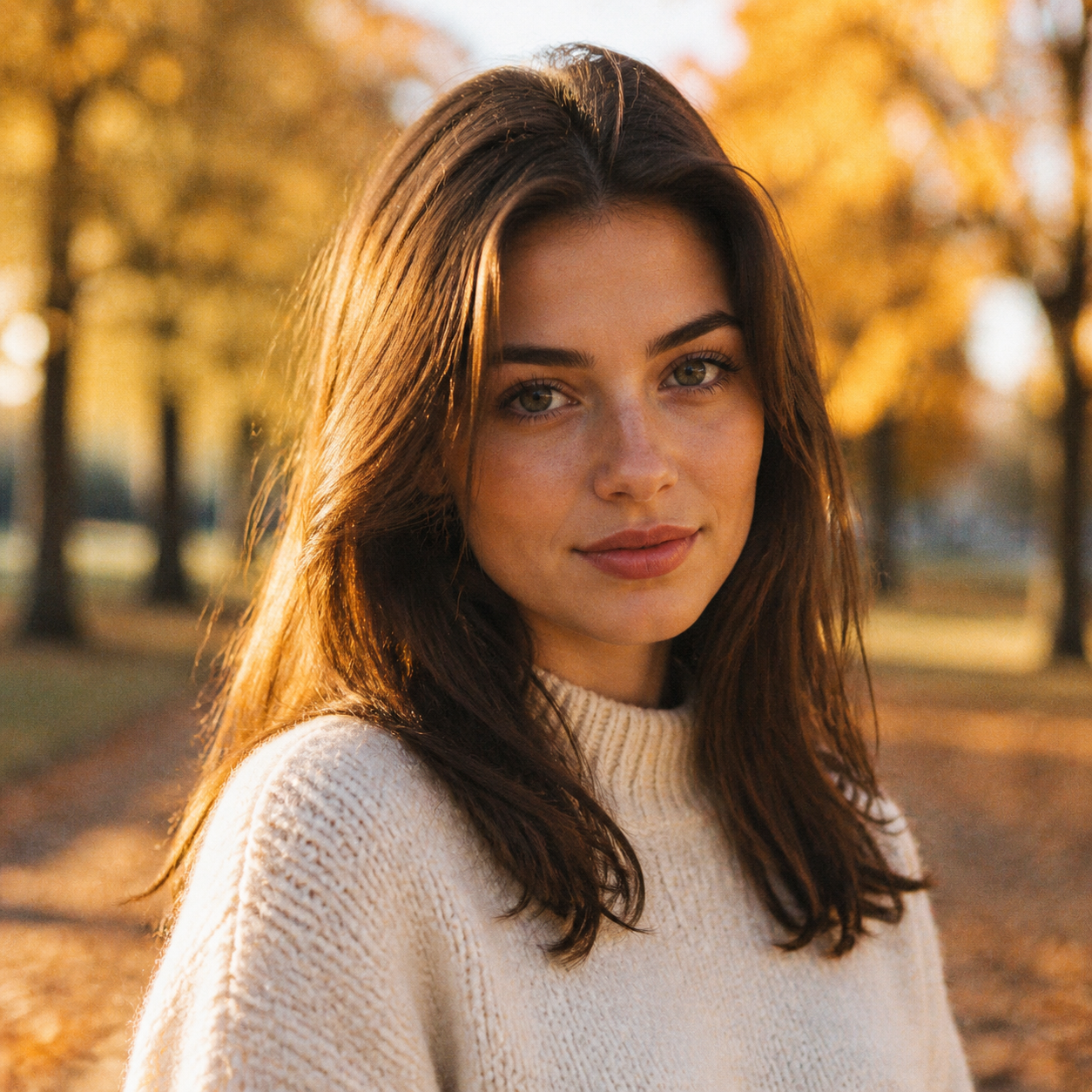
Sample Image
 6 / 17
AI-generated fictional portrait.
Introduction
Give the AI portrait generator a moment to portray
A portrait can communicate more than a face looking into the lens. Tell the AI portrait generator what the subject is thinking about or doing, then translate that idea into visible choices.
Choose a small, observable action
An illustrator pausing over a sketchbook or a gardener examining a leaf has something to do within the frame. Give the AI portrait generator a simple action that supports expression. A smaller gesture is often easier to read than a dramatic pose with several competing props.
- Use one action and one meaningful object to begin the concept.
- Let the AI portrait generator setting explain why that action belongs there.
Translate mood into expression and posture
Instead of asking for mysterious, describe a quiet sideways gaze, relaxed shoulders, and a slight turn away from the light. The AI portrait generator receives a visible interpretation of the mood. Keep the expression compatible with the body rather than requesting unrelated emotional cues.
Decide what makes this a portrait
The person should remain the visual priority even when the environment carries a story. Brief the AI portrait generator to keep the face or gesture readable. A richly detailed workshop can be interesting, but it should not reduce the subject to a small background accessory.
How to use
How to use the AI portrait generator
- Input
 Reference image 1STEP 1
Choose your subject
Upload an authorized adult reference to the AI portrait generator and select GPT Image 2 image mode for a creative portrait.
- ModelGPT Image 21K3:4PromptOutputSTEP 2
Give the portrait context
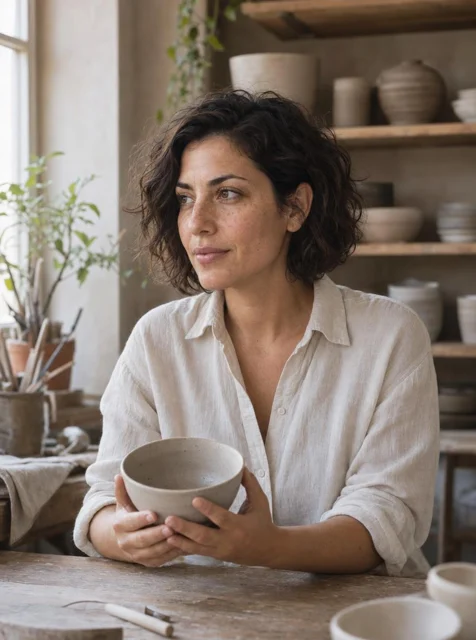
Brief the AI portrait generator on pose, clothing, lighting, and a meaningful setting, such as a ceramicist’s softly lit workshop.
 BeforeAfterSTEP 3
Generate the composition
Choose portrait framing and 1K in the AI portrait generator, check the displayed credits, and generate a considered editorial scene.
- STEP 4
Review the expression
Inspect AI portrait generator results for recognizable features, natural hands, and believable props before choosing an image that conveys your intended mood.
Features
Direct pose and framing in the AI portrait generator
Choose the camera distance before planning elaborate clothing or scenery. The AI portrait generator needs enough room for the gesture and a composition that supports the kind of portrait you intend.
Match the crop to the idea
A close face study emphasizes expression; a waist-up portrait can include a sketchbook or a hand resting on a chair. The 3:4 AI portrait generator starting frame suits a vertical study. Explain how much of the body and setting should remain visible within it.
- Leave space for the hairstyle and any hand that matters to the gesture.
- Review AI portrait generator framing before adding more objects to the scene.
Keep the gesture physically readable
Request a comfortable seated turn, one hand on a table, or a relaxed standing posture. Give the AI portrait generator an action with clear support points. Afterwards, inspect elbows, fingers, and the way the torso connects to the shoulders rather than judging the face alone.
Use negative space to support attention
A subject looking to the right can have breathing room on that side. Explain this relationship to the AI portrait generator instead of merely asking for an artistic crop. Quiet space around the face can carry mood without requiring more background detail or a second prop.
Use light as a creative choice in the AI portrait generator
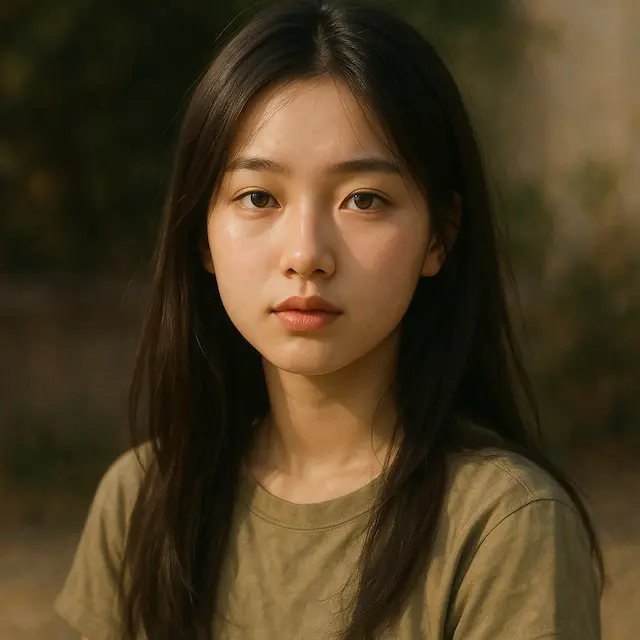
Light changes how a portrait feels as much as clothing or location. Give the AI portrait generator one primary source and a clear description of how it should shape the face and surroundings.
Choose softness and direction together
Soft light from a large window can support a reflective portrait; a narrower side light can produce a more graphic study. Tell the AI portrait generator which direction the light comes from. Check that the nose, cheek, and clothing shadows describe the same setup.
- For a gentler study, ask for gradual transitions rather than shadowless skin.
- Use the AI portrait generator to explore one lighting idea per attempt.
Balance atmosphere with facial readability
A dark room may fit the story, but the important expression still needs to be visible. Ask the AI portrait generator to retain enough information in the eyes and mouth. Compare the result at normal size so cinematic darkness does not hide the person entirely.
Use color contrast sparingly
Try warm light on the face against a cooler, quieter background. The AI portrait generator can explore that separation without placing a different colored light on every surface. Keep complexion and clothing under review when a strong palette changes their appearance more than you intended.
Style an AI portrait generator concept around the person
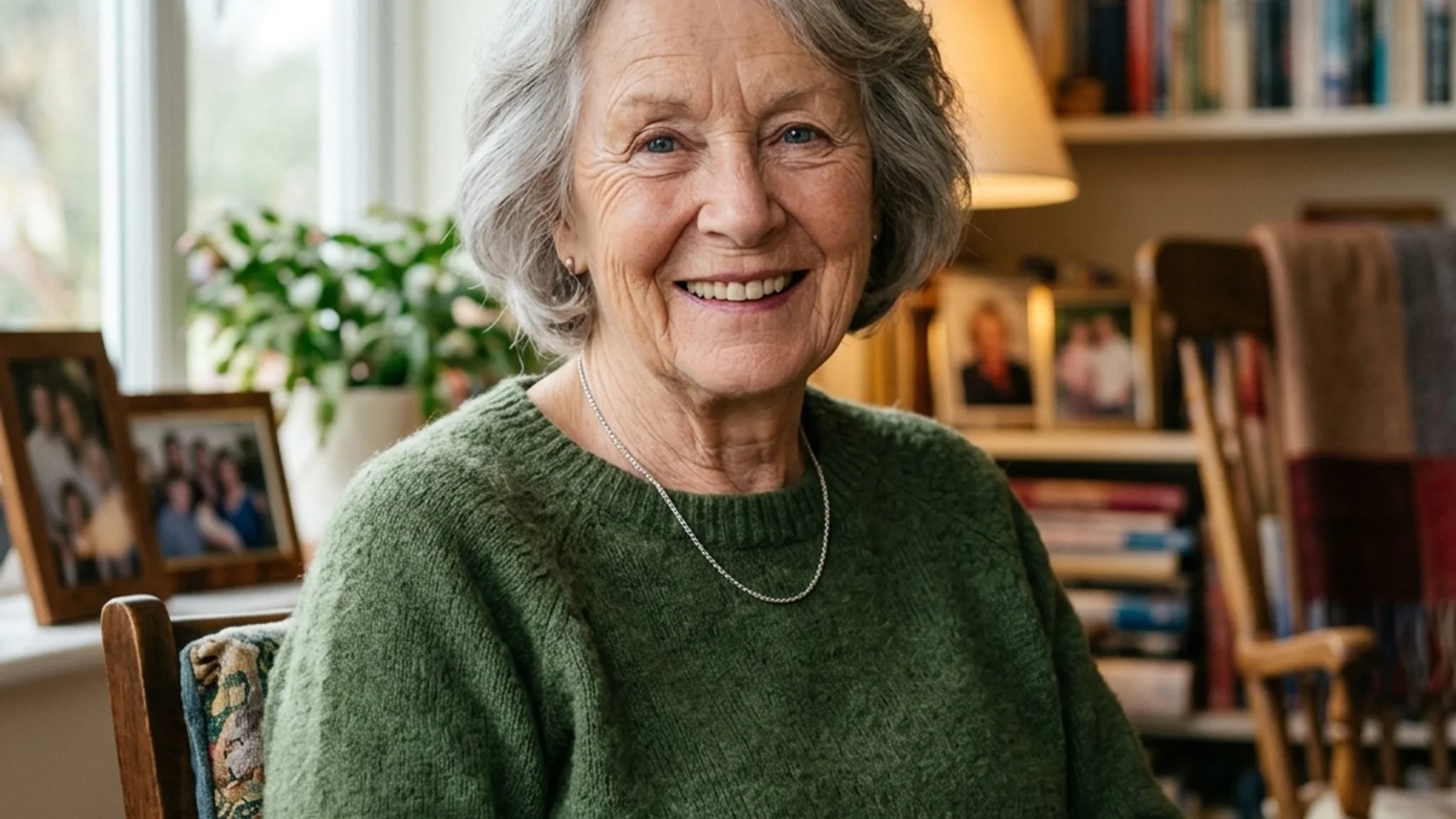
Clothing and objects should support the portrait's story rather than advertise a generic idea of creativity. Give the AI portrait generator a few deliberate choices that connect to the person and setting.
Use shape and material instead of status words
Describe a loose linen shirt, a worn canvas jacket, or a dark knitted top instead of an expensive-looking outfit. These cues help the AI portrait generator establish silhouette and texture. Inspect folds, collars, and seams so attractive styling does not conceal implausible garment construction.
- Choose a palette with one dominant clothing color and restrained accents.
- Give the AI portrait generator props a clear relationship to the subject's action.
Make one prop carry meaning
A clay bowl can connect a ceramicist to a studio without surrounding them with every possible tool. Ask the AI portrait generator for one meaningful object and believable hand contact. Keep its size and placement clear so it supports the portrait instead of covering the face.
Avoid accidental costume overload
Layered jewelry, unusual headwear, and several accessories can quickly compete with the person. Simplify the AI portrait generator brief when the silhouette becomes confusing. Add a distinctive detail only after the pose and expression work, and inspect whether it changes the intended character of the portrait.
Build a setting with the AI portrait generator
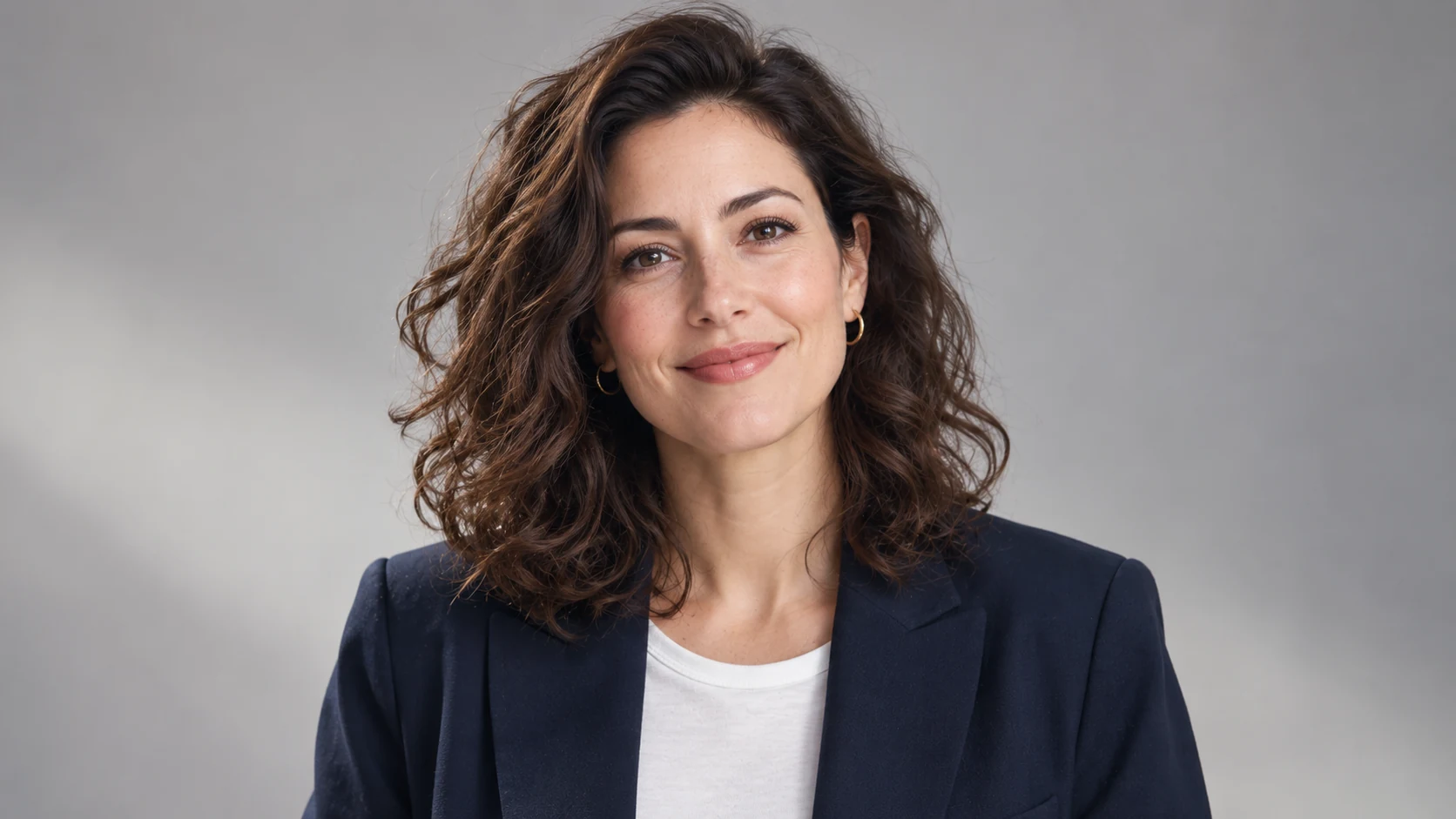
An environment can suggest a life beyond the edge of the image. Ask the AI portrait generator for selected clues rather than a fully inventoried room in which every object demands attention.
Choose a place with a visual purpose
A greenhouse gives a plant researcher a reason for side light, work clothes, and nearby leaves. Direct the AI portrait generator toward that relationship. Avoid asking for a setting solely because it sounds impressive when it has no connection to the person or action.
Layer the space around the subject
Try a soft foreground edge, a clear subject area, and a quieter wall farther away. This gives the AI portrait generator a depth plan. Keep background contrast lower around the face so architecture and props do not interrupt the expression.
Keep environmental portraits separate from biography
An invented studio can illustrate a mood without documenting the person's real workplace. Treat AI portrait generator scenes as creative interpretations. Choose settings the subject is comfortable using, and avoid presenting an imagined location or activity as a verified part of their personal history.
Run an AI portrait generator study from your reference
Compare the source while exploring the portrait. Judge choices separately from the subject’s recognizable features.
Upload and describe the concept
Describe action, crop, setting, and light. Identify personal features that matter rather than requesting general beautification.
Choose useful settings and references
Assign extra references specific roles, such as lighting or clothing. Review resolution, framing, output count, and displayed credits before submitting.
Review expression, anatomy, and resemblance
Compare the face with the source, then inspect hands, clothing, and surroundings. Revise the largest mismatch rather than adding visual drama.

Example prompts
A ceramicist pausing in the studio
Use the person in my uploaded reference photograph as the subject. Create a creative waist-up portrait in a quiet ceramics studio, with the adult seated slightly sideways and holding one simple clay bowl naturally near the worktable. Loose ivory linen shirt, relaxed shoulders, reflective expression, and soft window light from the left. Keep recognizable personal features as closely as possible. Use a few subdued shelves behind the subject, natural skin texture, and believable hands. Vertical 3:4 framing with comfortable headroom. No logos or text.
A painterly greenhouse portrait
Use my uploaded portrait as the person reference. Create a softly painted environmental portrait of the adult examining one leaf beside a greenhouse window. Dark canvas jacket, calm gaze, a clear three-quarter pose, and warm morning light against quieter cool green surroundings. Retain recognizable facial characteristics while using restrained brush texture and simplified background shapes. Show the hand and leaf clearly without covering the face. Vertical 3:4 composition with layered space and no lettering or brand marks.
User reviews
EveryGen AI video creator feedback.
EveryGen AI creator reviews
I made a full character PV for my game with MiniMax H3 in one afternoon. The menu UI stayed readable in every frame and the character never went off-model. That used to cost me a contractor and three weeks.

We tested every AI video generator on the market for stylized work. H3 is the only one that held our anime style across cuts. We now use it for pitch reels and animatics on every project.

I uploaded four product photos and got a listing video with music and a voiceover the same day. My click-through rate on the new listings is up 38%. H3 even got the label text on my packaging right.

I ship five vertical videos a week for three brands. MiniMax H3 gets me from brief to draft in under an hour, with sound already synced. My old workflow needed a videographer and two review rounds.

The editing side is what sold me. A client wanted the background of an interview changed — I typed one sentence into MiniMax H3 and the lighting on the subject matched the new scene automatically.

I previsualized my entire short film in MiniMax H3 before we shot a single frame. Rack focus, match cuts, even the title cards — it understands director language, not just keywords.
EveryGen AI · MiniMax H3 Max Pricing and Credit Plans
Cancel anytime
Lite
50% off0.025 / credit
Billed $ yearly179· Save $179.8
Video Models


Image Models



- Includes MiniMax H3 and all premium models
- Up to 1 batch generation task
- Standard generation speed
- Standard generation success rate
- Standard customer support
- Commercial Use License
Standard
50% off0.017 / credit
Billed $ yearly299· Save $299.8
Video Models
Image Models
- Includes MiniMax H3 and all premium models
- Up to 4 batch generation tasks
- Priority processing speed
- High generation success rate
- Priority customer support
- Commercial Use License
Pro
50% off0.014 / credit
Billed $ yearly599· Save $599.8
Video Models
Image Models
- Includes MiniMax H3 and all premium models
- Up to 10 batch generation tasks
- Fastest generation speed
- High generation success rate
- Dedicated account manager
- Commercial Use License
Max
50% off0.012 / credit
Billed $ yearly1,199· Save $1,199.8
Video Models
Image Models
- Includes MiniMax H3 and all premium models
- Up to 10 batch generation tasks
- Fastest generation speed
- High generation success rate
- Dedicated account manager
- Commercial Use License
Pay safely and securely with
























FAQ
Frequently asked questions
How is the AI portrait generator different from a headshot task?
A headshot usually prioritizes a clear professional face and a restrained setting. The AI portrait generator gives more room to gesture, mood, clothing, and environment. Choose it when the picture should communicate a creative concept rather than simply furnish a business profile.
What reference should I give the AI portrait generator?
Use a clear photograph you are authorized to provide, with readable facial features and a suitable view. Give the AI portrait generator extra references only when their roles are clear. A lighting example should not be confused with another person to depict.
Will the AI portrait generator preserve my exact appearance?
Exact preservation is not guaranteed. The AI portrait generator may change facial proportions, hair, complexion, or other details. Compare with your source and obtain the subject's approval, particularly when a strong stylistic treatment changes recognizable features.
Can the AI portrait generator create a painted treatment?
Yes, describe the visual treatment in your reference-editing brief. Give the AI portrait generator concrete direction such as soft painted edges, limited colors, or visible brush texture. Check the pose and facial structure as carefully as the finish when evaluating a stylized result.
Can I use the AI portrait generator for a wider scene?
You can change the starting 3:4 ratio to another supported option. Adjust the AI portrait generator framing instructions accordingly so the person remains prominent. A wider canvas needs a different balance of subject and environment, not simply additional decorative space around a tiny face.
CTA
Give the AI portrait generator a story to suggest
Choose your reference, one meaningful gesture, and a setting that belongs with it. Start an AI portrait generator study, review the settings, and refine the version that connects expression, light, and personal character.
Create a portrait from your reference