 EveryGen AI
EveryGen AI · Hailuo 02 Standard for Scenes with Room to Develop
Explore how an idea unfolds with Hailuo 02 Standard on H3 Max. Choose six or ten seconds at 768p, begin with text or an image, and optionally supply the final view. Hailuo 02 Standard gives you a practical framework for testing the pace and visual connection of a short scene.
Video workspace
The wooden elevator opens
28/33View prompt
Five-second continuous frontal shot of closed wooden elevator doors opening slowly to reveal one adult woman standing inside. Keep the camera fixed at eye level and the woman relaxed, facing forward. Preserve a simple, balanced composition with warm wood grain and soft interior light. End with the doors open and the woman still standing.
Introduction
What Is Hailuo 02 Standard?
Hailuo 02 Standard is the Standard variant of MiniMax Hailuo 02, offered on fal through text and image generation endpoints.
Text scenes and image-led transitions
The fal documentation provides Hailuo 02 Standard routes for generating video from a prompt or animating an opening picture. The image route also includes an optional last-frame input. This makes Hailuo 02 Standard relevant to both open-ended scene development and transitions with a supplied destination. The images define visual reference points; the model generates the moving connection instead of simply joining two still files.
A choice of two durations on H3 Max
Hailuo 02 Standard runs at 768p in this workspace, with six-second and ten-second choices for text and image modes. Use the shorter setting for a compact beat or the longer setting when an action needs more breathing room. Confirm that choice in the controls before generating. There is no audio switch here, so a soundtrack should be planned separately from the visual request.
How to use
How to Use Hailuo 02 Standard
- PromptSTEP 1
Define the shot you need
Select Hailuo 02 Standard in H3 Max. Decide whether the scene will establish a place, show a small action, or connect two visual compositions.
- ModelHailuo 02 Standard768p16:910sPromptSTEP 2
Choose text or supplied frames
Write a scene from scratch in text mode, or give Hailuo 02 Standard an opening image. Add a closing image when a specific destination supports the idea.
- First frameLast frame
 0.0s
0.0s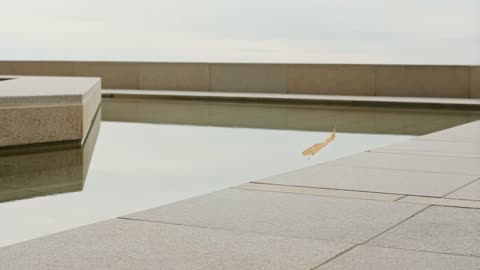 5.1s
5.1s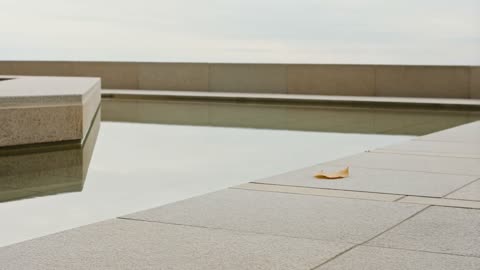 9.1sSTEP 3
Set the pace before generating
Choose six or ten seconds at 768p. Check the frame inputs, describe the intended motion, and review the credits displayed for the configured request.
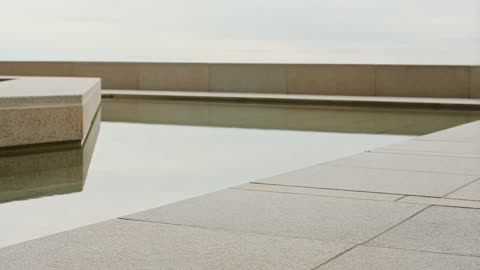
- Create one ten-second shot of a quiet courtyard with a shallow reflecting pool and a pale stone bench. A single yellow leaf drifts across the foreground and settles near the pool. Keep the camera fixed, architecture stable, and other movement minimal. Gentle overcast light, no people, readable lettering, new objects, or scene cuts.DownloadSTEP 4
Judge the result in sequence
Watch the Hailuo 02 Standard clip from beginning to end. Check the central action and final hold, then decide whether a focused revision would improve its place in your edit.
Features
Explore Pacing with Hailuo 02 Standard
The two duration choices in Hailuo 02 Standard help you decide how long a viewer needs to understand the main change.
Use six seconds for a direct visual statement
A brief opening view, one action, and a settled result can form a useful six-second shot. Give Hailuo 02 Standard an event that reads immediately, such as a lamp illuminating a desk or a curtain revealing a window. Resist adding a second scene. Hailuo 02 Standard becomes easier to evaluate when the brief identifies the particular moment the audience should notice.
Use ten seconds for a gradual development
A longer option can accommodate an approach, a measured reveal, or a subject moving through a small part of the setting. Ask Hailuo 02 Standard to develop that same event rather than fill the extra time with unrelated activity. Specify the intended pace and a stopping point. The duration control sets the clip length; descriptive timing in the prompt expresses how you want it used.
Connect Two Views with Hailuo 02 Standard
Optional closing imagery gives Hailuo 02 Standard a destination for transitions that need a recognizable opening and a purposeful finish.
Find a relationship between the images
Consider what physically or visually connects your two frames before submitting them. Hailuo 02 Standard might be directed from an open room view toward a detail already visible within it. Keep the subject, lighting, and scale relationship understandable. A Hailuo 02 Standard request should explain the journey, not rely on the model to infer why two very different pictures belong together.
Make the transition serve an edit
A destination can be useful when a shot must lead attention toward a place where the next sequence begins. Plan Hailuo 02 Standard around that handoff, leaving a readable final composition. Exact matching is not guaranteed, so inspect the ending and the preceding motion together. Avoid accepting a result whose last frame works but whose middle introduces distracting objects or changes the setting.
Give Hailuo 02 Standard a Clear Motion Hierarchy
An environmental shot can have several moving elements, but Hailuo 02 Standard benefits from a clear distinction between primary and background activity.
Choose one movement to carry the scene
A leaf drifting across a courtyard can be the central event while everything else remains restrained. Tell Hailuo 02 Standard which element leads the viewer through the frame. Background activity should not compete with it. In a Hailuo 02 Standard brief, describe subtle cloud movement or fabric movement as supporting details only when they reinforce the main visual idea you want to explore.
Keep the setting legible across time
Stationary architecture, furniture, and landscape features provide reference points for reading motion. Ask Hailuo 02 Standard to keep those elements stable as the main event develops. Review doorways, horizon lines, and the contact between objects and the ground. A moving scene should still feel spatially understandable; additional activity is not useful when the viewer loses track of where the action is happening.
Compose Readable 768p Shots with Hailuo 02 Standard
Plan Hailuo 02 Standard around strong subject placement and clear shapes rather than relying on tiny details to carry the entire message.
Use framing to establish visual priorities
Place the important subject where its action can be seen without searching through the background. Hailuo 02 Standard can be prompted toward a close view for a small gesture or a wider view for movement through space. Explain which priority matters. For Hailuo 02 Standard image requests, start with a picture that already supports that emphasis rather than hoping motion will fix an unclear composition.
Evaluate the size in its real destination
Check a Hailuo 02 Standard clip inside the intended placement, whether that is a compact web panel or part of an edited sequence. Look for readable silhouettes, stable edges, and enough separation between the subject and its surroundings. Do not assume enlarging a finished clip will recover detail that was not resolved. Select a composition whose important information survives at the delivered size.
Develop Useful Shot Options with Hailuo 02 Standard
Treat each Hailuo 02 Standard request as a specific contribution to your sequence, with a defined entrance, main event, and exit.
Compare timing while keeping the idea recognizable
Write down whether a version is meant to feel immediate or contemplative before generating it. Hailuo 02 Standard offers two clip lengths, but changing the duration does not guarantee the same action simply plays more slowly. Compare the actual performances. Keep the Hailuo 02 Standard subject and setting consistent in your brief so you can identify which pacing choice serves the scene.
Keep only material that helps the larger story
A Hailuo 02 Standard shot does not need to tell the entire story by itself. It might establish a location, introduce an object, or create a pause between larger moments. Save the useful part of the idea and note what needs revision. Review the displayed credits before another Hailuo 02 Standard request, especially after changing the duration or replacing either supplied frame.
Example prompts
Text: a ten-second courtyard moment
Create one ten-second shot of a quiet courtyard with a shallow reflecting pool and a pale stone bench. A single yellow leaf drifts across the foreground and settles near the pool. Keep the camera fixed, architecture stable, and other movement minimal. Gentle overcast light, no people, readable lettering, new objects, or scene cuts.
Image: a six-second reveal
Use the uploaded opening image as the starting scene. Over six seconds, let the visible curtain move gently aside, revealing more of the existing window. Keep furniture, wall proportions, lighting, and the camera position consistent. Let the motion settle before the end. Do not introduce people, change the room, or add text.
Two frames: a ten-second approach
Use the supplied opening and ending frames to guide a continuous ten-second move from the wider view toward the final detail. Keep the shared subject recognizable and the setting coherent. Move gradually, without sudden acceleration, and finish with a short hold. Avoid object duplication, scene cuts, new decoration, or changes to the subject design.
User reviews
EveryGen AI video creator feedback.
EveryGen AI creator reviews

I made a full character PV for my game with MiniMax H3 in one afternoon. The menu UI stayed readable in every frame and the character never went off-model. That used to cost me a contractor and three weeks.

We tested every AI video generator on the market for stylized work. H3 is the only one that held our anime style across cuts. We now use it for pitch reels and animatics on every project.

I uploaded four product photos and got a listing video with music and a voiceover the same day. My click-through rate on the new listings is up 38%. H3 even got the label text on my packaging right.

I ship five vertical videos a week for three brands. MiniMax H3 gets me from brief to draft in under an hour, with sound already synced. My old workflow needed a videographer and two review rounds.

The editing side is what sold me. A client wanted the background of an interview changed — I typed one sentence into MiniMax H3 and the lighting on the subject matched the new scene automatically.

I previsualized my entire short film in MiniMax H3 before we shot a single frame. Rack focus, match cuts, even the title cards — it understands director language, not just keywords.
EveryGen AI · MiniMax H3 Max Pricing and Credit Plans
Cancel anytime
Lite
50% off0.025 / credit
Billed $ yearly179· Save $179.8
Video Models


Image Models



- Includes MiniMax H3 and all premium models
- Up to 1 batch generation task
- Standard generation speed
- Standard generation success rate
- Standard customer support
- Commercial Use License
Standard
50% off0.017 / credit
Billed $ yearly299· Save $299.8
Video Models
Image Models
- Includes MiniMax H3 and all premium models
- Up to 4 batch generation tasks
- Priority processing speed
- High generation success rate
- Priority customer support
- Commercial Use License
Pro
50% off0.014 / credit
Billed $ yearly599· Save $599.8
Video Models
Image Models
- Includes MiniMax H3 and all premium models
- Up to 10 batch generation tasks
- Fastest generation speed
- High generation success rate
- Dedicated account manager
- Commercial Use License
Max
50% off0.012 / credit
Billed $ yearly1,199· Save $1,199.8
Video Models
Image Models
- Includes MiniMax H3 and all premium models
- Up to 10 batch generation tasks
- Fastest generation speed
- High generation success rate
- Dedicated account manager
- Commercial Use License
Pay safely and securely with























FAQ
Frequently asked questions
Which lengths can I choose with Hailuo 02 Standard?
H3 Max offers six-second and ten-second clips for this model. Select the duration in the workspace first, then describe the pace and action that should occupy it. The two choices are discrete settings.
Does Hailuo 02 Standard use 768p on H3 Max?
Yes. This page uses the 768p configuration. Compose for that output size and inspect fine details in the finished clip. Do not assume that settings described for a different tier apply to this one.
Can Hailuo 02 Standard start without an uploaded picture?
Yes. Text mode generates a scene from your written description. Include the subject, surroundings, action, and camera behavior. Use image mode when a specific opening composition is more important than inventing the entire setting.
How many frames can guide Hailuo 02 Standard image mode?
You can provide an opening picture and an optional ending picture. They are visual endpoints, not a general collection of subject references. Choose them to describe an understandable transition within the selected clip length.
Can I request a soundtrack in Hailuo 02 Standard?
This workspace has no audio switch for the model and does not promise native sound generation. Plan the visual sequence here, then arrange any required soundtrack separately rather than relying on a sound description.
Will ten seconds make Hailuo 02 Standard more accurate?
A longer clip gives the action more time, not a guarantee of greater accuracy. Use it when pacing requires it. Review subject consistency and the full transition at either duration before selecting a result.
How should I budget Hailuo 02 Standard revisions?
Check the credits shown for each configured request. Decide what the next variation is meant to improve before submitting it, and review the amount again after changing duration or other supported settings.
CTA
Find the Right Pace with Hailuo 02 Standard
Start with a scene that has somewhere to go. Choose the duration, prepare any endpoint images, and use Hailuo 02 Standard to explore a clear visual connection after reviewing the workspace credits.
Plan a Video Shot