 EveryGen AI
EveryGen AI · Flow AI alternative for a clearly directed short shot
Plan the shot before building the sequence. This Flow AI alternative offers an independent EveryGen AI workflow using MiniMax H3 Max Turbo, not Google's models or a Flow integration. Describe a scene, direct its movement and sound, and review a short clip before assembling your selected shots elsewhere.
Video workspace
The wooden elevator opens
28/33View prompt
Five-second continuous frontal shot of closed wooden elevator doors opening slowly to reveal one adult woman standing inside. Keep the camera fixed at eye level and the woman relaxed, facing forward. Preserve a simple, balanced composition with warm wood grain and soft interior light. End with the doors open and the woman still standing.
Introduction
What does a Flow AI alternative offer?
A Flow AI alternative should match a defined production task. Here, that task is generating a short, directed shot rather than recreating an entire filmmaking environment.
Distinguish the filmmaking environment
Google introduced Flow as an AI filmmaking tool built around its generative models, with scene and asset creation central to the experience. When considering a Flow AI alternative, separate that broader environment from the particular shot you need to generate today.
Start with the shot you can explain
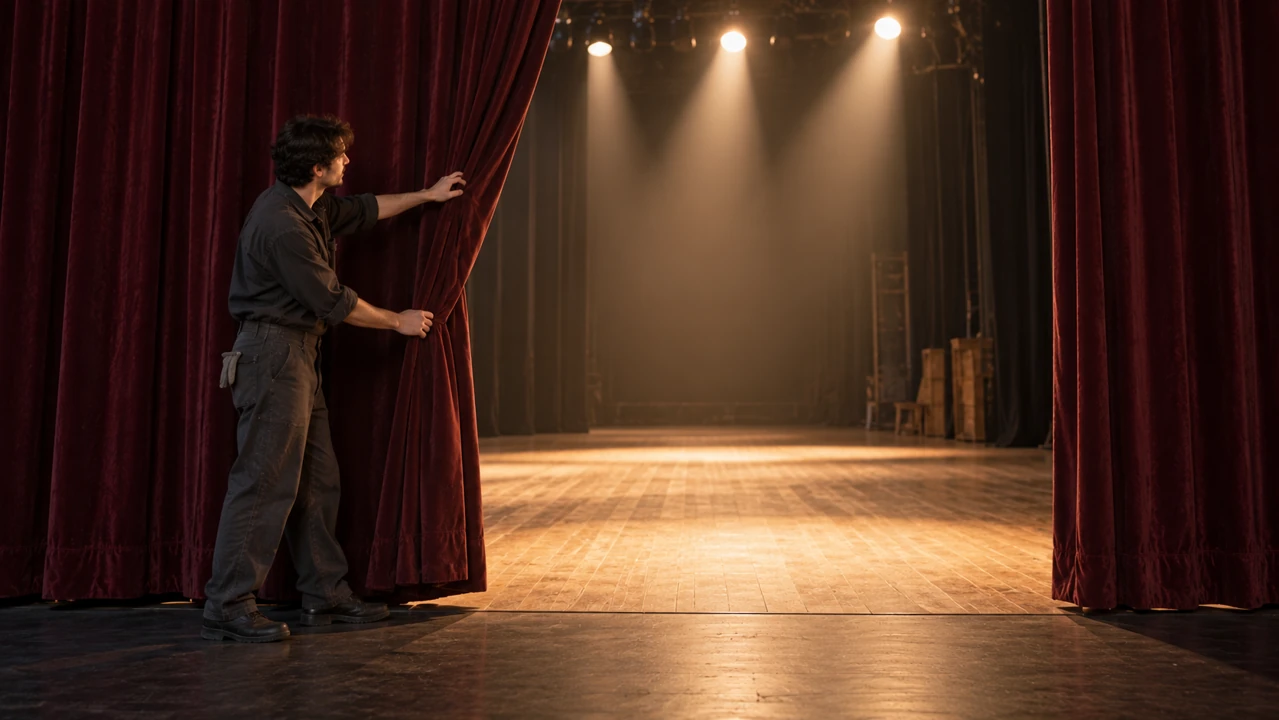
An adult stagehand draws one heavy theater curtain aside, revealing a softly lit empty stage. This Flow AI alternative can explore that single reveal. The curtain, lighting change, and final pause provide enough information for a useful shot without a complex sequence.
Use the actual EveryGen AI setup
The Flow AI alternative starts in text mode at five seconds, 480P, 16:9, with one output and native audio. Turbo also supports five to fifteen seconds and 768P or 1080P. Sign in and check the displayed Create quote before generating.
How to use
How to use this Flow AI alternative
- STEP 1
Choose text or a frame
Sign in to this Flow AI alternative and select MiniMax H3 Max Turbo text mode, or upload an authorized opening image.
- STEP 2
Define the shot
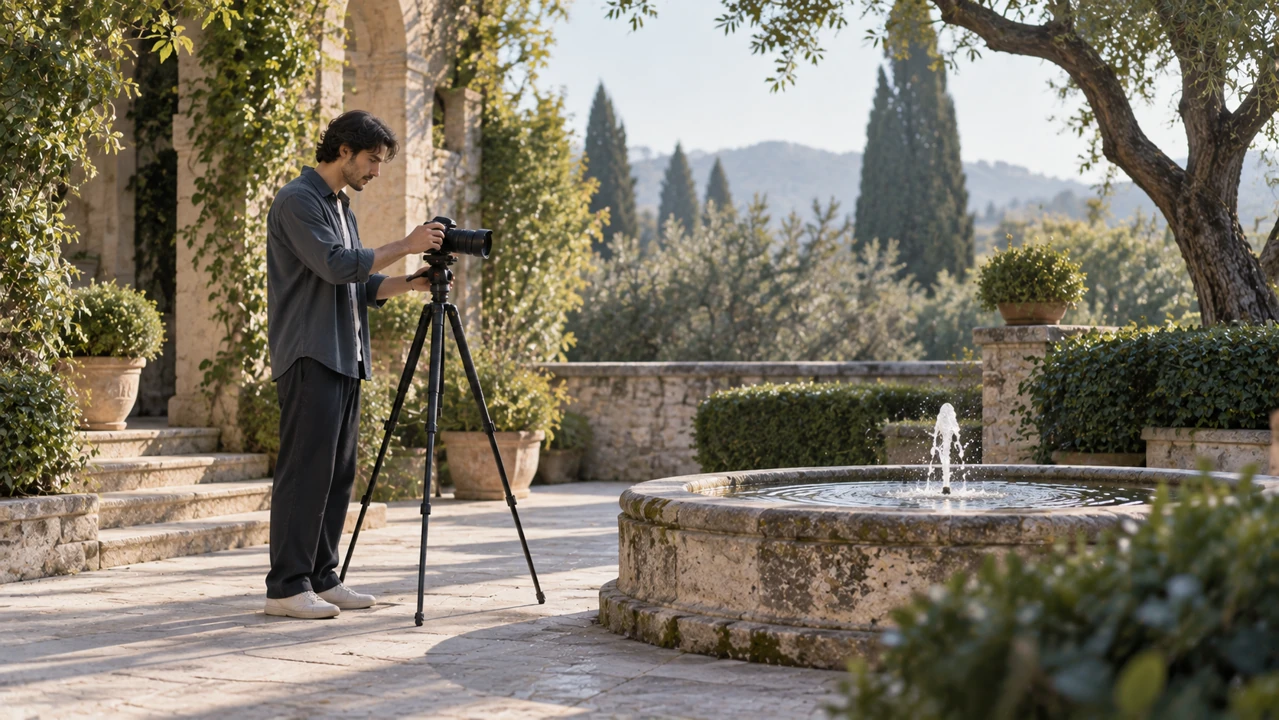
Give the Flow AI alternative one fountain ripple, a steady viewpoint, coherent light, and quiet water sounds with a settled ending.
- STEP 3
Create one candidate
Set this Flow AI alternative to five seconds and 480P, confirm framing and the live Create quote, then generate one clip.
- STEP 4
Review before joining shots
Watch the Flow AI alternative result for continuity and matching audio, then download your selection for precise assembly in a separate editor.
Features
Give the Flow AI alternative a stable scene
A clear Flow AI alternative shot establishes where the subject is going and what remains in place while that movement unfolds.
Choose a route through the frame
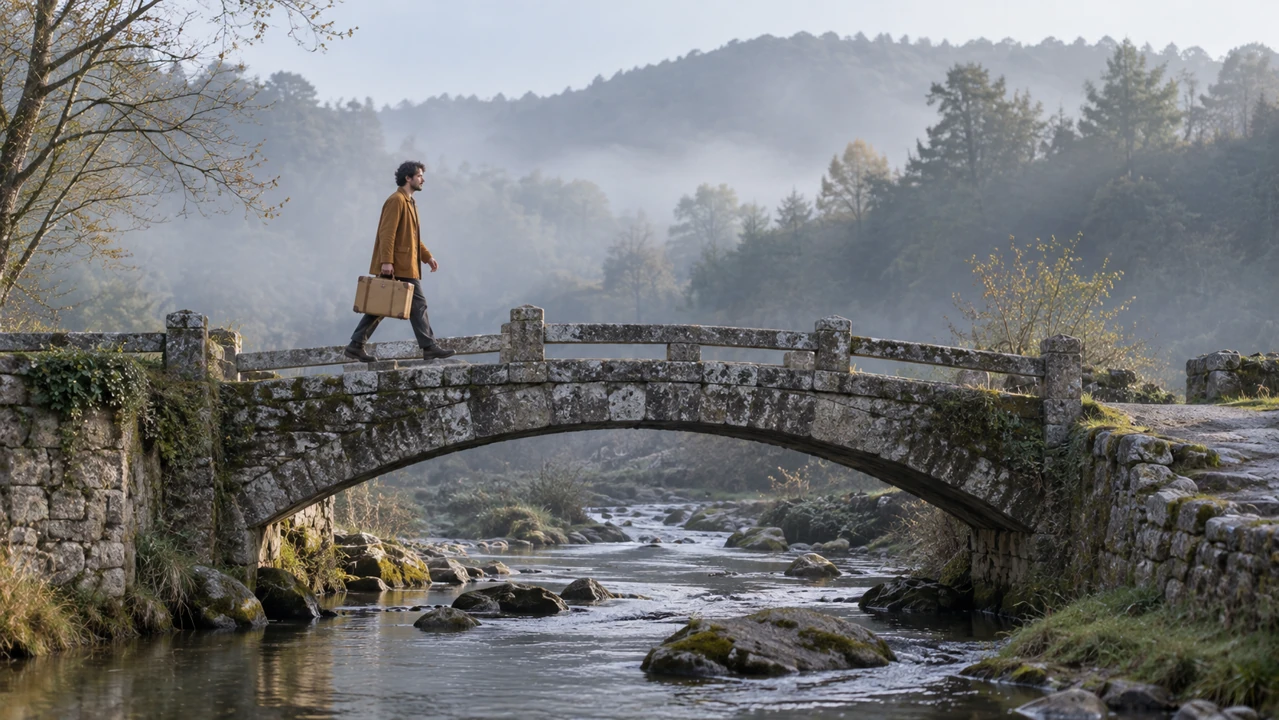
An adult traveler crosses a narrow stone footbridge left to right with a tan suitcase. Give the Flow AI alternative a clear route. Leave space beyond the traveler for the walk to finish naturally.
- Keep the landing point visible before the movement begins.
- Describe the Flow AI alternative subject relative to the bridge and far bank.
Keep landmarks consistent
Name the parapet, the far bank, and the narrow stream beneath the bridge. These relationships make a Flow AI alternative brief easier to judge. Watch whether fixed landmarks drift or change shape instead of evaluating the moving subject in isolation.
Plan the next shot separately
Record which side the traveler exits and the direction of the light for a later continuation. A Flow AI alternative can support that planning through separate requests. It does not automatically connect generated clips or preserve every costume detail across them.
Direct one camera idea with the Flow AI alternative
Choose whether the subject or the viewpoint carries the motion. A Flow AI alternative request becomes difficult to assess when everything changes at once.
Move around a quiet subject
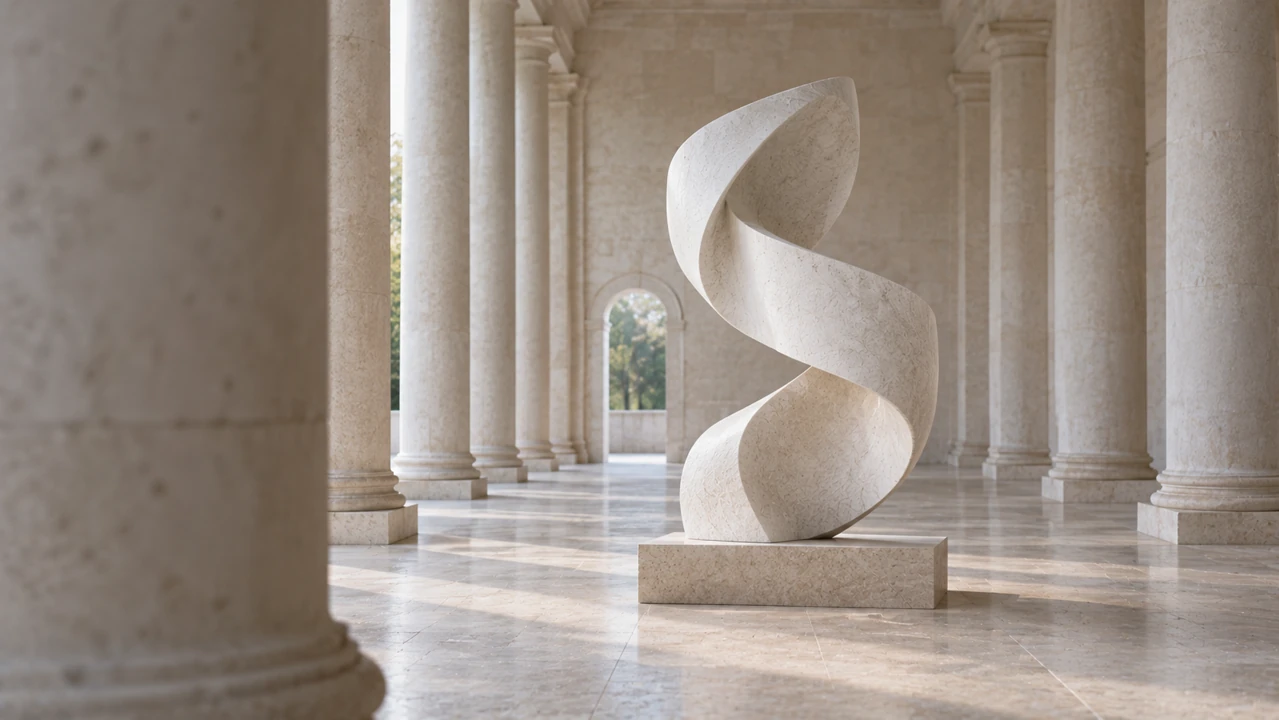
A white stone sculpture stays stationary during a sideways camera move through an empty colonnade. Direct the Flow AI alternative toward changing overlaps between columns and sculpture. Depth comes from the viewpoint, not object movement.
- State the starting distance and keep the main shape readable.
- Give the Flow AI alternative one camera path rather than several simultaneous moves.
Describe the consequence of movement
Instead of only requesting cinematic motion, explain that a nearby column slides out of the foreground while the sculpture stays central. The Flow AI alternative receives a more concrete assignment. Review whether that spatial relationship remains coherent throughout the shot.
Avoid treating language as a rig
A written camera instruction guides generation; it is not a calibrated physical camera path. Use the Flow AI alternative to explore the resulting viewpoint, then judge its usefulness. Reduce the movement when the shot reveals too much invented architecture or changing geometry.
Start the Flow AI alternative from a prepared image
Use image mode in this Flow AI alternative when an existing composition carries important decisions about the performer, setting, or light.
Make the opening pose readable
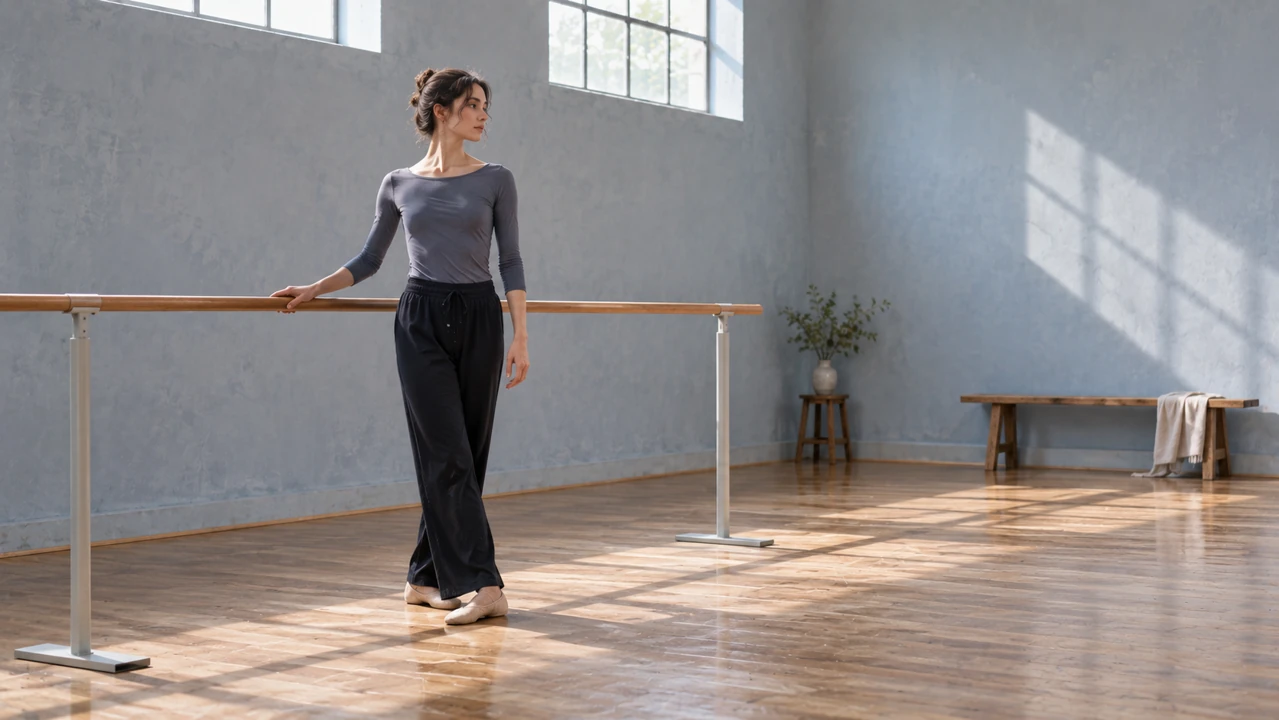
An authorized photograph of an adult dancer resting one hand on a rehearsal barre establishes a specific pose. Upload it as the required starting frame for the Flow AI alternative. Keep the full acting area visible, including the arm that will move.
Choose a reachable ending
An optional ending image might show that same arm raised slightly while the body remains beside the barre. Give the Flow AI alternative a restrained transition between compatible poses. Radically different viewpoints or costumes make the requested movement less clearly defined.
Prepare proportions before uploading
Image-mode proportions follow the source rather than the text-mode 16:9 default. Before using the Flow AI alternative, prepare a deliberate crop with headroom and hand space. Check the ending image for compatible framing.
Connect Flow AI alternative light, motion, and sound
A believable Flow AI alternative atmosphere comes from details that agree. Choose a visible light source and sounds that belong to the scene.
Let the environment supply the event
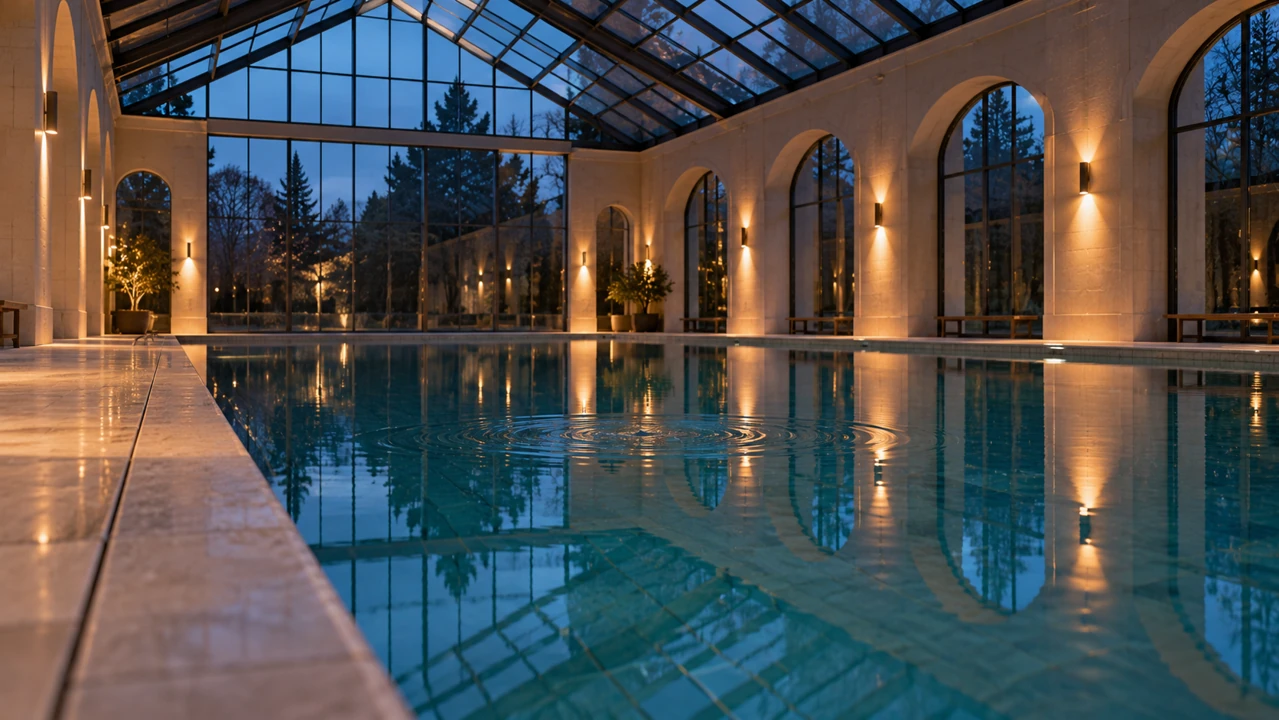
In an empty glass-roofed swimming hall at dusk, a ripple spreads beneath warm wall lights. This Flow AI alternative scene needs little action. Cool skylight and warm reflections establish atmosphere around the moving water.
- Keep changing reflections connected to the visible water surface.
- Let Flow AI alternative atmosphere support the shot rather than overwhelm it.
Separate event sound from ambience
Ask for a small water sound against quiet indoor room tone. The Flow AI alternative generates native audio with the picture, so describe both their relationship and restraint. Listen for sounds suggesting people or activity that the empty scene does not show.
Check the atmosphere through the ending
Look for sudden changes in window brightness, shadows, or the color of reflected light. A Flow AI alternative clip should be reviewed across its full duration. A convincing opening can still shift into a different lighting setup halfway through an otherwise simple scene.
Review Flow AI alternative shots before assembly
Treat Flow AI alternative output as footage to select, not an automatically approved sequence. Review the action, continuity details, and transition points separately.
Choose the detail that anchors continuity
A prop assistant checking a worn suitcase's buckle illustrates continuity review. For a Flow AI alternative sequence, record the handle, color, and surface marks that matter. Compare them across actual clips rather than trusting descriptions.
Compare one change at a time
Keep a useful source or scene brief, then change only the camera distance, action size, or sound direction. This makes Flow AI alternative attempts easier to evaluate. Increasing resolution does not resolve a misunderstood action; revise the instruction that caused the mismatch first.
Hand off a deliberate selection
Follow the existing generation record and inspect any failure status before retrying. Download your approved Flow AI alternative clip with its brief. Assemble shots, balance audio, and set exact transition timing in your separate editor.

Example prompts
A quiet crossing with a clear destination
Five-second continuous wide shot. One fictional adult traveler in a muted ochre coat crosses a narrow stone footbridge from left to right carrying a small tan suitcase. Steady eye-level camera, cool morning light, quiet water below and measured footsteps. Keep the bridge and banks stationary. Finish when the traveler reaches the far end. No captions, extra people, or cuts.
Reveal the sculpture through the columns
Five-second continuous gallery shot. One white abstract stone sculpture remains stationary in an empty colonnade. The camera moves slowly sideways so one foreground column slips out of view, revealing the sculpture without orbiting it. Soft overcast light, consistent pale stone surfaces, subdued room ambience. End with the full sculpture visible. No people, plaques, lettering, or sudden zooms.
User reviews
EveryGen AI video creator feedback.
EveryGen AI creator reviews

I made a full character PV for my game with MiniMax H3 in one afternoon. The menu UI stayed readable in every frame and the character never went off-model. That used to cost me a contractor and three weeks.

We tested every AI video generator on the market for stylized work. H3 is the only one that held our anime style across cuts. We now use it for pitch reels and animatics on every project.

I uploaded four product photos and got a listing video with music and a voiceover the same day. My click-through rate on the new listings is up 38%. H3 even got the label text on my packaging right.

I ship five vertical videos a week for three brands. MiniMax H3 gets me from brief to draft in under an hour, with sound already synced. My old workflow needed a videographer and two review rounds.

The editing side is what sold me. A client wanted the background of an interview changed — I typed one sentence into MiniMax H3 and the lighting on the subject matched the new scene automatically.

I previsualized my entire short film in MiniMax H3 before we shot a single frame. Rack focus, match cuts, even the title cards — it understands director language, not just keywords.
EveryGen AI · MiniMax H3 Max Pricing and Credit Plans
Cancel anytime
Lite
50% off0.025 / credit
Billed $ yearly179· Save $179.8
Video Models


Image Models



- Includes MiniMax H3 and all premium models
- Up to 1 batch generation task
- Standard generation speed
- Standard generation success rate
- Standard customer support
- Commercial Use License
Standard
50% off0.017 / credit
Billed $ yearly299· Save $299.8
Video Models
Image Models
- Includes MiniMax H3 and all premium models
- Up to 4 batch generation tasks
- Priority processing speed
- High generation success rate
- Priority customer support
- Commercial Use License
Pro
50% off0.014 / credit
Billed $ yearly599· Save $599.8
Video Models
Image Models
- Includes MiniMax H3 and all premium models
- Up to 10 batch generation tasks
- Fastest generation speed
- High generation success rate
- Dedicated account manager
- Commercial Use License
Max
50% off0.012 / credit
Billed $ yearly1,199· Save $1,199.8
Video Models
Image Models
- Includes MiniMax H3 and all premium models
- Up to 10 batch generation tasks
- Fastest generation speed
- High generation success rate
- Dedicated account manager
- Commercial Use License
Pay safely and securely with























FAQ
Frequently asked questions
Is this Flow AI alternative connected to Google?
No. This is an independent EveryGen AI workflow using MiniMax H3 Max Turbo. It neither runs Google's models nor transfers a Flow project. The alternative concerns short shot generation, not an equivalent copy of Google's complete creative environment.
Does the Flow AI alternative include Scenebuilder or Ingredients?
No. Those named Google tools are not replicated here. You can write a scene brief or use a required opening image with an optional ending frame. Plan connected shots yourself and assemble downloaded clips in a separate editing workflow.
Can a Flow AI alternative shot preserve exact continuity?
Exact identity, object geometry, and timing are not guaranteed. Use consistent source material and focused movement, then inspect the complete result. Compare costume details, landmarks, and light across clips before deciding that they belong in the same sequence.
Which Flow AI alternative settings should I start with?
Begin with five seconds and 480P to judge the action. Turbo supports five to fifteen seconds and 480P, 768P, or 1080P. Text mode starts at 16:9; image mode follows the source. Review the live quote before submitting.
Can I request sound in the Flow AI alternative?
Yes. Native audio accompanies the generated picture. Describe relevant ambience and a small event sound, then listen to the result. A request does not guarantee exact spoken words or synchronization, so do not make those assumptions when planning the shot.
CTA
Direct your next Flow AI alternative shot
Choose one event, a clear viewpoint, and a soundscape that belongs to the scene. Use this Flow AI alternative to create a short candidate, review the whole clip, and download a considered selection for your wider sequence.
Create a directed video shot