 EveryGen AI
opus 5.5 video guide: Animate a Cloud-Catching Machine as an Exploded Engineering Blueprint
Study LemoLab’s fictional Cloud Catcher blueprint film with drafting order, exploded drawing offsets, shared sound cues, and source attribution.
Start here: open EveryGen AI Opus for animated invention drawings.
Watch Patent Pending: The Cloud Catcher, the author’s blueprint film. The supplied 46.667-second release draws, assembles, and separates an imaginary machine before a revision cloud becomes rain. The creator’s code-production account attributes the collection to Claude Opus 5.5. We have not independently verified those sessions or reproduced this film; local commands require a separate terminal.
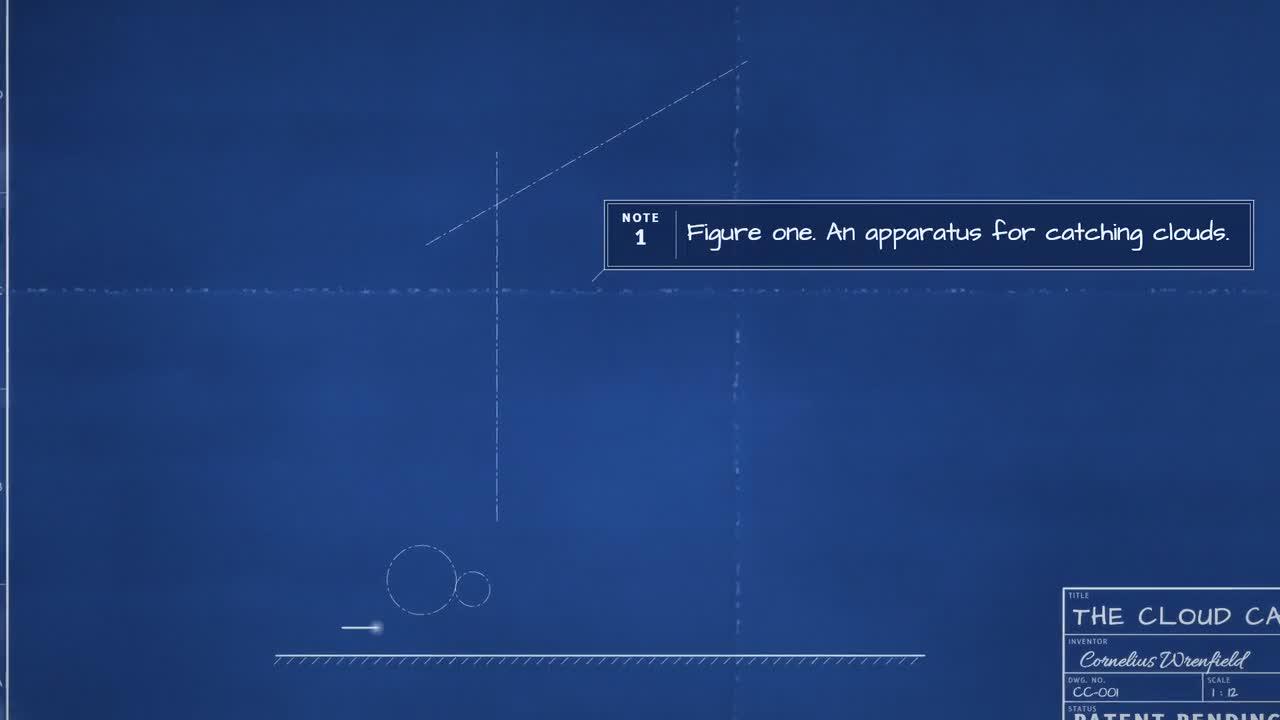
Original Cloud Catcher frame. Credit: LemoLab. The invention is fictional.
1. Keep the drawing language intact
Read the cyanotype blueprint style rules. White drafting lines, hatching, dimensions, and numbered leaders inhabit blue paper. This is two-dimensional drawing, with a WebGL compositor for paper and effects—not a three-dimensional engineering simulation.
The source follows drafting order: centerlines, outlines, details, hatching, dimensions, and labels. Oblique projection and exploded offsets create depth without changing that language. The machine’s moving parts express the story; a convincing gear drawing is not proof of a working invention.
The case’s scene and sound notes describe an initial failure, a revision, and a fantasy payoff. Preserve that distinction. Do not turn the fictional inventor, drawing dates, or patent-style title block into historical or legal claims.
2. Prepare source, fonts, and sound
Use Git, Node 20+, FFmpeg/ffprobe, and Python 3.11–3.13 or uv. Keep the reference MP4 separate and work in a fresh clone:
git clone https://github.com/lemomo-ai/lemo-opuscar.git cloud-study
cd cloud-study
export LEMO_OPUSCAR_HOME="$PWD"
sh plugin/skills/lemo-opuscar/scripts/setup.sh deps voice
sh tools/fetch.sh instruments vcsl
sh tools/fetch.sh instruments vsco2ce
D=styles/blueprint/demo
mkdir -p evidence
git rev-parse HEAD > evidence/commit.txt
Inspect draw.js, paper.js, machine.js, sheet.js, and film.js. Confirm fonts, voice model, and sample banks; retain lockfiles and resolved package versions. These are executable reader instructions, not a report that this environment has passed.
3. Paste this new reproduction prompt
Newly drafted—not the author’s original prompt:
Reproduce Patent Pending: The Cloud Catcher from the supplied release and
blueprint demo. Inspect commit, locks, STYLE.md, DEMO.md, CREDITS, core APIs,
build.sh, and actual assets. Identify missing requirements, then follow the
documented sequence without unnecessary approval checkpoints.
Keep the fictional machine and its drafting, assembly, exploded view,
operation, revision-cloud/rain payoff and closing title block. Preserve
author attribution. Do not describe it as a patented machine, measured
engineering design, real weather intervention, or 3D simulation.
Trace motion, camera, subtitles and sound to film.js. Check its 24-fps,
1120-frame timing rather than multiplying the rounded DEMO duration.
Maintain 2D projection, paper-anchored texture, readable line weights,
attached leaders, consistent gear phases, and clearance from the header.
Use absolute render(t) and deterministic states. Test forward, reverse and
arbitrary seeks. Verify exploded parts return coherently and the magical
revision remains distinguishable from engineering notation. Listen to
regenerated narration and compare captions with actual sound.
Use the existing build script, inspect errors, and check actual MP4 metadata
and decoding. Save complete source, prompts, model/provider/effort/session
records, dependency versions and human edits. No external generated footage,
invented successful tests, publishing, or substitution of another story.
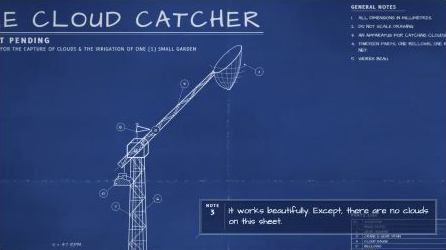
Second original-film frame; assess moving mechanisms in the complete sequence.
4. Build and inspect actual transitions
The blueprint build script creates narration, subtitles, events, score, and mix, then renders at 24 fps with three workers and muxes the result:
sh "$D/build.sh"
node core/render/still.mjs "$D" 7 15.4 18.5 31 40 46 --out evidence/cloud-frames
OUT=styles/blueprint/blueprint.mp4
ffprobe -v error -count_frames -show_streams -show_format -of json "$OUT"
ffmpeg -v error -i "$OUT" -f null -
Inspect adjacent frames around part separation, return, and the rain transition. If an exploded part crosses a label, correct its path or layout. If lines become too thick in close-up, inspect zoom-dependent line weights. Missing fonts or WebGL errors need correction before visual acceptance.
Fix only the observed collision, leader, line-weight, or timing defect.
Preserve the fictional story and source duration. Change the responsible
geometry/layout/cue, show the diff and adjacent frames, then replay with sound.
Do not hide broken connections behind a cut or claim untested fixes passed.
5. Verify the finished drawing
The source timeline resolves to 1,120 frames at 24 fps, approximately 46.667 seconds. Check the actual output, including dimensions, voice clarity, caption holds, intended silence, and final title block. Full decoding cannot establish mechanical readability; watch the entire film and compare repeated seeks.
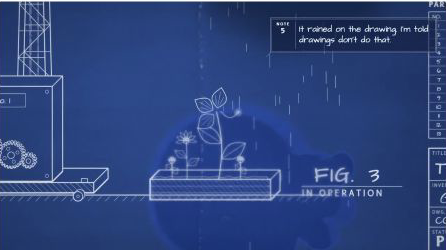
Additional author-release frame. Retain LemoLab attribution.
Save the complete editable project and review record. Lemo’s software is MIT; the Cloud Catcher’s separate asset notices identify OFL fonts, voice components, and CC0 instrument samples. Preserve those licenses and the fictional-invention context rather than presenting this reproduction as an original industrial design.