 EveryGen AI
opus 5.5 video guide: Explain GPS and Relativity with a Whiteboard Animation
Study LemoLab’s GPS whiteboard lesson, keeping clock corrections, diagrams, equations, narration, and drawing timing consistent.
Start here: open EveryGen AI Opus for illustrated GPS lessons.
Watch Einstein in Your Pocket, the released whiteboard lesson. The 111.018-second supplied file explains clocks, satellite signals, and relativity across one drawn board. The collection’s author declaration attributes code production to Claude Opus 5.5; we have not independently verified those sessions or reproduced this case. Local execution requires a separate terminal.
Original LemoLab film frame; a diagram, not satellite telemetry.
1. Check the science and its visual order
The film’s values are rounded comparisons with ground clocks: satellite motion contributes about −7 microseconds/day, weaker gravity about +45, giving approximately +38 overall. NIST’s explanation of GPS clock corrections supports this distinction. Keep signs, units, and reference clocks visible. These are clock-rate effects, not measured phone errors.
Read the whiteboard writing-and-camera rules. Floating markers write sequential strokes without hands; the camera links board regions. Hold completed equations long enough to read.
Inspect demo/film.js, engine/wb.js, lines.json, and word timings. Match each statement to its diagram, caption, and narration; update them together.
2. Prepare the documented dependencies
Use a new workspace with Git, Node 20+, FFmpeg/ffprobe, and Python 3.11–3.13 or uv. These commands are conditional; preserve existing projects.
git clone https://github.com/lemomo-ai/lemo-opuscar.git gps-study
cd gps-study
export LEMO_OPUSCAR_HOME="$PWD"
sh plugin/skills/lemo-opuscar/scripts/setup.sh deps voice
for BANK in freepats vcsl vsco2ce; do
sh tools/fetch.sh instruments "$BANK"
done
D=styles/whiteboard/demo
mkdir -p evidence
git rev-parse HEAD > evidence/commit.txt
Check both fonts, voice model, and sample banks. Preserve the lockfile and Python versions; installation alone does not validate the film.
3. Use an explicit reconstruction brief
New copy-ready prompt—not a recovered author conversation:
Study and reproduce Einstein in Your Pocket from the supplied author film and
whiteboard source. Read the real commit, locks, STYLE.md, DEMO.md, CREDITS,
core APIs, build.sh, and available assets first. Identify missing dependencies.
Keep author attribution; do not claim an EveryGen AI experiment or satellite simulation.
Verify the rounded clock comparison: motion about -7 microseconds/day, weaker
gravity about +45, net about +38 relative to ground clocks. Keep qualifications,
signs, and units consistent across speech, drawings, and captions. Stop factual
sign-off if sources conflict. Invent no measurements or performance figures.
First map the existing script to board regions, writing deadlines, camera holds,
and real word times; wait for approval. Preserve floating pens, no hands, and
one connected board. Use absolute render(t), deterministic strokes, and reverse
seek checks. Ensure every term finishes writing when its narration requires it.
Inspect the source's 111-second, 24-fps configuration; distinguish it from the
release's 111.018-second container. Use supported build commands and review any
regenerated voice before accepting timing. Check symbols, cropped labels, pen
collisions, audio masking, and the complete ending. Save prompts, changes,
model/provider/effort/session records, checks, and editable output. Do not publish.
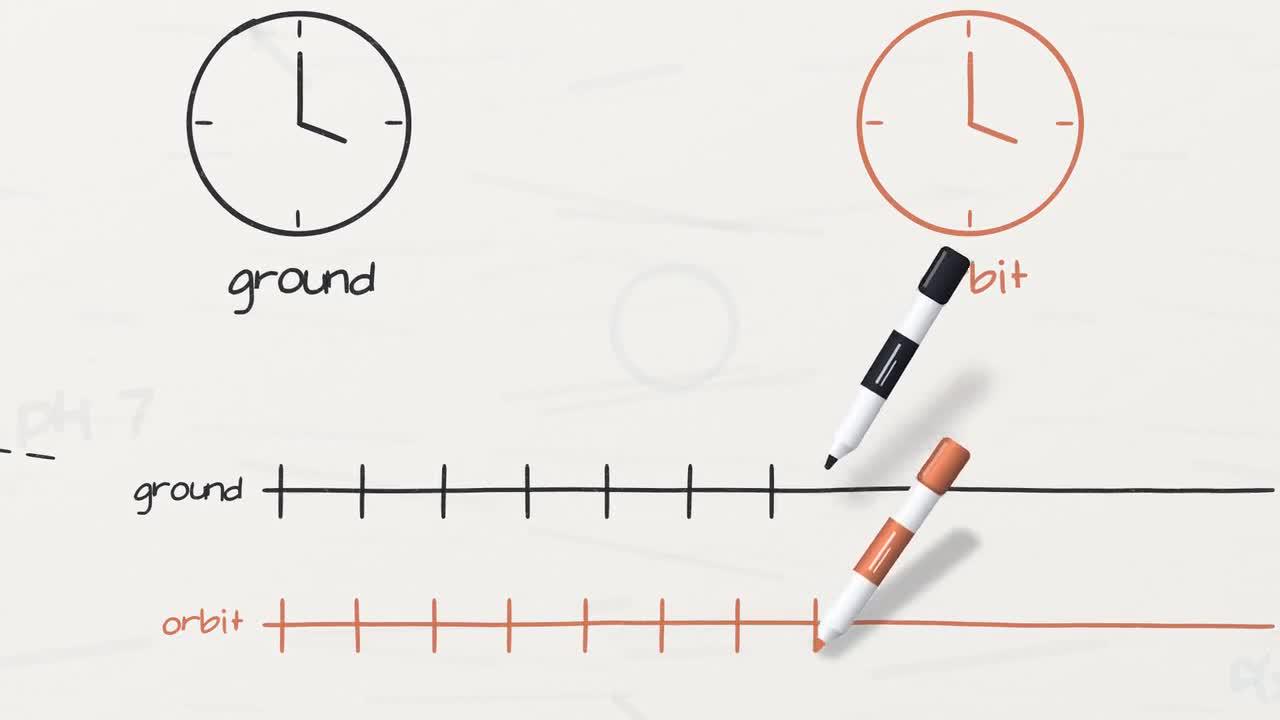
Author-film frame. Numerical annotations are rounded teaching values.
4. Build and test synchronization
Use --vo to regenerate narration/timestamps; omit it only with verified existing voices. This script checks cues, builds sound, renders at 24 fps with five workers, and muxes the MP4.
sh "$D/build.sh" --vo
node core/render/still.mjs "$D" 13.95 42.4 53.1 85.45 101.9 --out evidence/frames
OUT=styles/whiteboard/whiteboard.mp4
ffprobe -v error -count_frames -show_streams -show_format -of json "$OUT"
ffmpeg -v error -i "$OUT" -f null -
Listen to regenerated lines and check writing deadlines; ASR alone certifies neither meaning nor intelligibility. If lettering arrives late, inspect overlapping pen assignments; use the engine’s deadline windows rather than speeding up the entire film. For missing symbols, inspect font mappings.
Correct the observed equation, timing, or cropped-label defect only. Update all
linked scientific layers, preserve the rounded-value caveat, and give writing
and reading enough time. Show the changed cues and adjacent frames, then replay
with narration. Do not conceal an unresolved error with a transition.
5. Review and preserve the finished explanation
For unchanged source settings, 111 seconds at 24 fps implies 2,664 picture frames. Verify actual metadata and complete audio separately. Watch the entire explanation, including the correction and closing board view; successful decoding is not scientific approval.
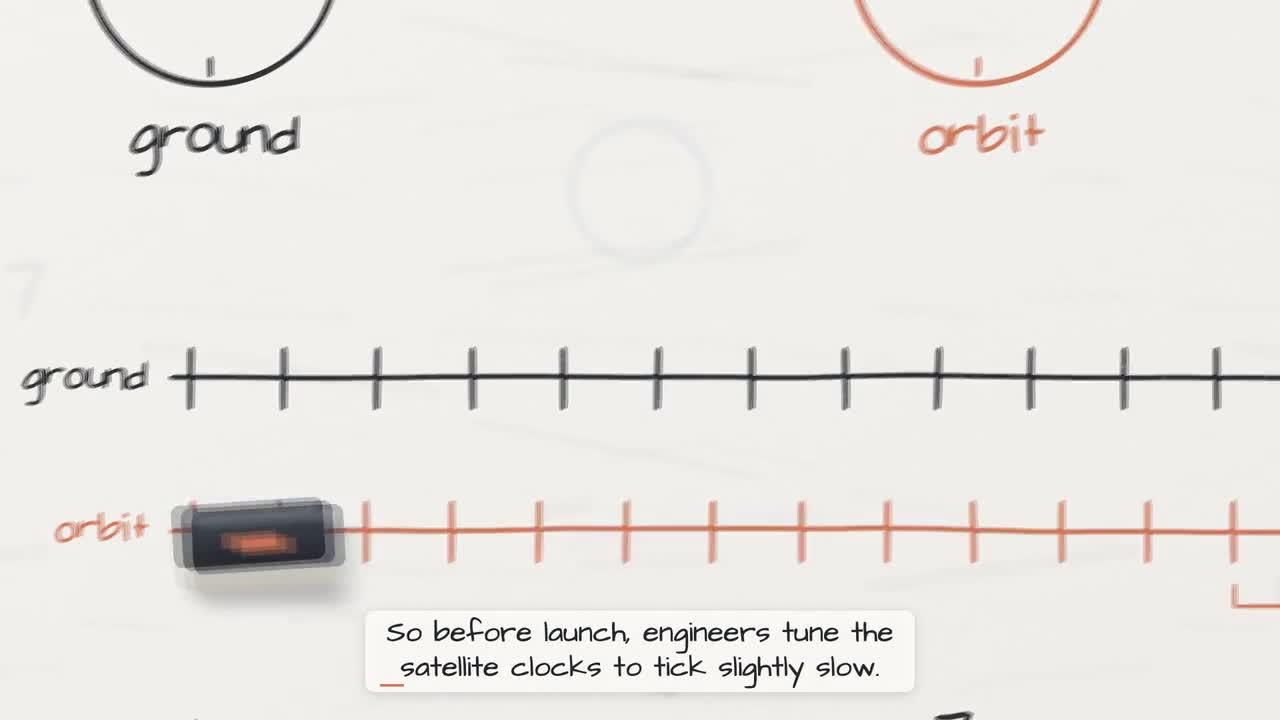
Original-film frame, not a record of an experiment.
Archive the source, factual notes, voice timings, dependencies, prompts, model records, edits, checks, subtitles, and MP4. Lemo code is MIT; the GPS film’s lettering and audio notices retain separate font, voice, and sample licenses. Preserve those notices and author attribution.