 EveryGen AI
opus 5.5 video guide: Animate a Coffee Journey from Bean to Cup in an Isometric World
Follow LemoLab’s isometric coffee journey from picking to a city café, using one coordinate system and shared visual and sound cues.
Start here: open EveryGen AI Opus for isometric process storytelling.
Watch From Bean to Cup, the published coffee journey. The 58.792-second supplied release connects picking, drying, packing, sea transport, and a city café. LemoLab’s code-animation account attributes the collection to Claude Opus 5.5; we have not independently verified the model sessions or reproduced this film. It is not photographic evidence of a particular shipment.
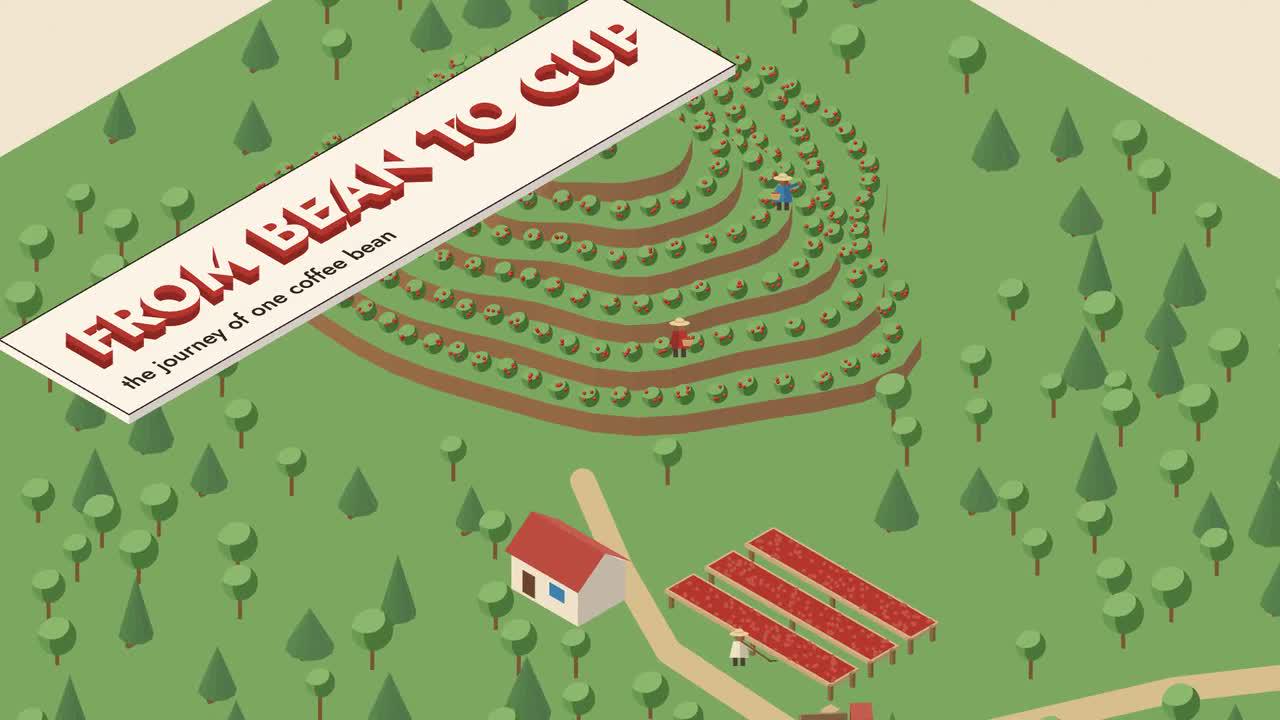
Original LemoLab frame. The supply chain is code-drawn.
1. Keep the process inside one world
Read the isometric diagram’s visual specification. Canvas 2D projects coordinates into a fixed isometric view. Three-tone solids, route lines, and tracking markers explain the process. Camera position and scale change, not projection angle.
Follow the same bean through each station, shipping it green before destination roasting. Preserve “NOT TO SCALE.” Distances, counts, and durations describe this scenario—not universal industry measurements or an audited shipment.
Inspect timeline.js, engine.js, world.js, captions, and sound; they share cues. Preserve the original release.
2. Prepare source and sound assets
Prepare Git, Node 20+, FFmpeg/ffprobe, and Python 3.11–3.13 or uv in a separate workspace. These conditional commands require local-terminal access, not assumed EveryGen AI functionality.
git clone https://github.com/lemomo-ai/lemo-opuscar.git coffee-study
cd coffee-study
export LEMO_OPUSCAR_HOME="$PWD"
sh plugin/skills/lemo-opuscar/scripts/setup.sh deps voice
for BANK in freepats vcsl karoryfer; do
sh tools/fetch.sh instruments "$BANK"
done
D=styles/iso-infographic/demo
mkdir -p evidence
git rev-parse HEAD > evidence/commit.txt
Check Jost, the voice model, and samples. Retain lockfiles and resolved versions; document any replacement instead of silently changing the case.
3. Give Opus this new reproduction prompt
This prompt is newly drafted, not the author’s original brief.
Reproduce From Bean to Cup as an attributed study of the supplied release.
First inspect the commit, locks, iso-infographic STYLE.md, DEMO.md, CREDITS,
core APIs, demo/build.sh, timeline.js, and actual assets. Identify missing inputs.
Preserve picking, drying, packing, sea transport,
destination roasting, and café payoff. No real-shipment or industry-wide claims.
Keep one fixed isometric projection, three-tone solids, legible route/leader
lines, and the same object identity through every station. Preserve NOT TO SCALE
and verify the internal arithmetic of counts and distances. Do not invent data.
First present the existing station, cue, caption, and audio mapping and dependency
plan and follow the verified build. Check the source's 58.8-second timeline at 24 fps against
the 58.792-second release. Use the renderer's actual integer-frame rounding;
never stretch speech simply to match metadata decimals.
Use absolute render(t), stable seeds, and shared timeline cues. Check arbitrary
and reverse seeks, layer sorting, ship/quay clearance, cutaway continuity, and
subtitle space. Review regenerated narration and both intentional silences.
Use the case's real build/export commands. Save prompts, actual model/provider/
effort/session records, source diffs, frame reviews, credits, and complete MP4.
Do not publish, invent successful tests, or replace illustrated scenes with
external generated media presented as actual production footage.
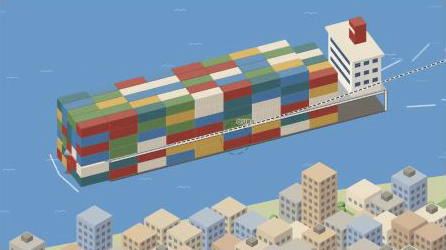
Author-film frame, not a record of a real consignment.
4. Build and inspect the transitions
The script rebuilds speech, score, events, cue checks, mix, subtitles, and video at 24 fps with two workers. Its final ASR check is non-blocking: read the report.
sh "$D/build.sh"
node core/render/still.mjs "$D" 3.4 15 28 40.8 50.9 57 --out evidence/frames
OUT=styles/iso-infographic/iso-infographic.mp4
ffprobe -v error -count_frames -show_streams -show_format -of json "$OUT"
ffmpeg -v error -i "$OUT" -f null -
Review transfers and cutaways frame by frame and with sound. For misplaced solids, inspect depth sorting; for apparent grounding, check ship clearance. Restore missing voices/fonts rather than omitting them.
Fix only the observed sorting, clearance, tracking, or cue problem. Preserve the
projection, scenario, and shared timing. Keep the tracked subject continuous;
do not hide a defect with unrelated footage. Show the diff and new boundary
frames, then replay the transfer and check narration and subtitle alignment.
5. Verify the complete export
The source ends at 58.8 seconds; the renderer rounds duration × fps, giving 1,411 frames at 24 fps, approximately 58.792 seconds. Confirm the actual file rather than assuming every release uses identical encoding. Check dimensions, complete audio, captions, and the final whole-world view.
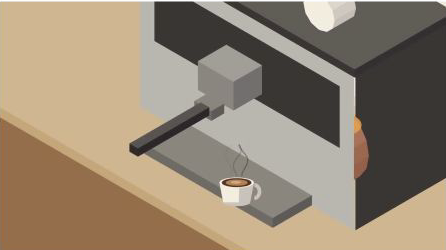
Original-release frame. Retain attribution and diagram qualifications.
Retain source, lockfiles, input provenance, prompts, session records, changes, checks, and MP4. MIT applies to Lemo’s code; the coffee film’s material credits separately identify OFL typography, voice components, and CC0 sample libraries. Keep those notices with an attributed reproduction.