 EveryGen AI
opus 5.5 video guide: Make a Watercolor Film that Follows Rain Across Australian Vegetation
Follow LemoLab’s watercolor rain film across Australian vegetation, with layered washes, narration, source build steps, and frame review.
Start here: open EveryGen AI Opus for watercolor documentary workflows.
Watch Follow the Rain, the published Australian landscape film. This is a narrated watercolor explanation, not a lyrics-driven music video. Its continuous painted journey moves from Australia’s red interior toward greener landscapes, connecting vegetation, rainfall, annotations, and a closing map. The downloaded author film runs for 113.6 seconds at 1280 × 720 and 60 fps. Its source project documents a 1920 × 1080 render at the same frame rate.
The repository’s filmmaking provenance attributes the films to Claude Opus 5.5 writing code. We have not independently inspected those model sessions. This guide studies an existing author film, not an EveryGen AI-generated result; local commands require a separate capable coding environment.
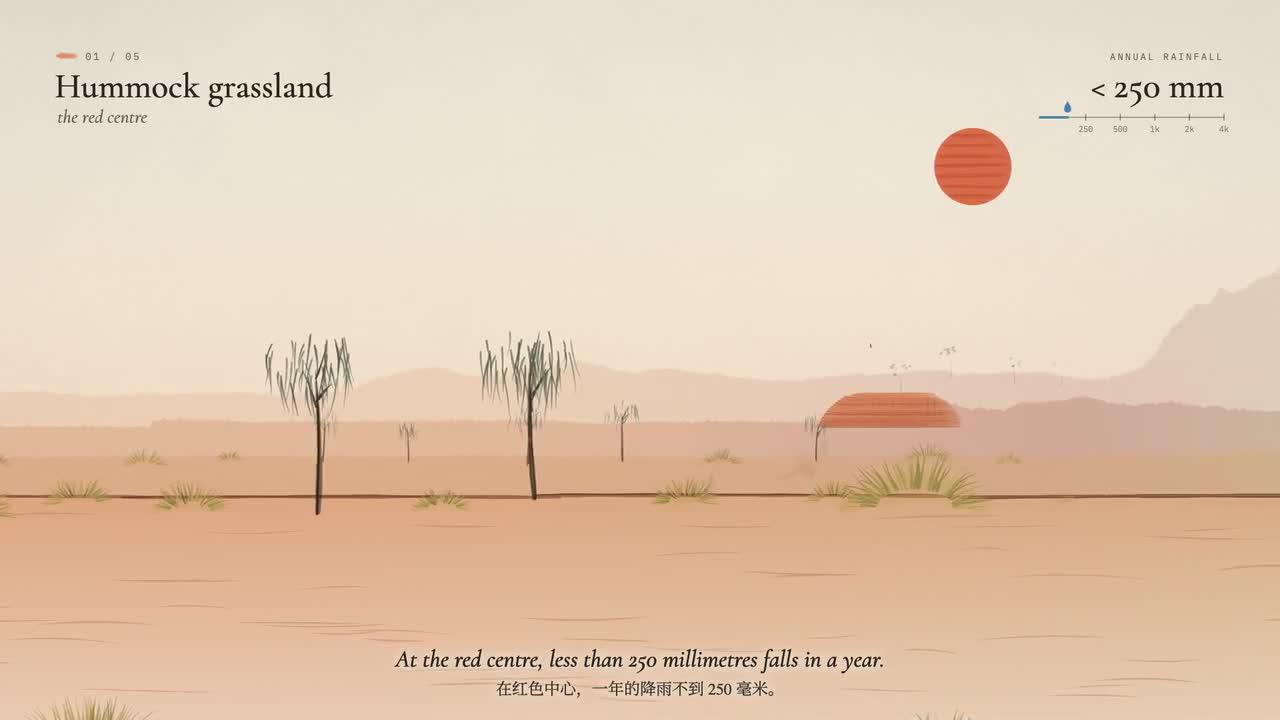
Original frame from Follow the Rain. Credit: LemoLab. This is code-painted explanatory artwork, not Australian landscape photography.
1. Follow the explanation, not just the texture
The Watercolor Brush production specification describes individual translucent strokes, broken bristle tracks, warm paper, and layered washes. Forms paint themselves into view: structure appears before detail. This is different from placing a watercolor filter over a succession of photographs.
The author’s landscape-and-map breakdown explains the continuous sideways camera move, plant generators, handwritten notes, and eventual map view. The source separates stroke construction, plants, scene placement, camera timing, and annotations, so the visual argument stays editable.
Keep its scientific limits visible. The credits describe approximate rainfall values entered by hand and interpolated into schematic bands. The deep-time map is an illustrative drying of today’s pattern, not a paleoclimate reconstruction. Do not turn those displays into claims of calibrated simulation or newly verified measurements.
2. Inspect the case and its source assets
Preserve the author’s MP4 as the reference. Watch the full journey and note where the narration names a specimen, introduces a region, or explains the map. Choose review frames from the actual video, retaining labels that qualify what viewers see.
In styles/watercolor/demo/, read engine.js, plants.js, scene.js, and main.js. Check paper.jpg, fonts, coastline data, voice files, and the music directory. The source uses a Canvas 2D stroke engine and cached plant sprites; the source files describe this particular landscape-and-map film.
For a local reproduction, prepare Git, Node 20+, Python 3.11–3.13 or uv, and FFmpeg/ffprobe. These are conditional reader commands, not an execution log:
git clone https://github.com/lemomo-ai/lemo-opuscar.git rain-case
cd rain-case
export LEMO_OPUSCAR_HOME="$PWD"
sh plugin/skills/lemo-opuscar/scripts/setup.sh deps voice
D=styles/watercolor/demo
PY="$PWD/.venv/bin/python"
mkdir -p evidence
git rev-parse HEAD > evidence/source-commit.txt
if command -v uv >/dev/null; then
  uv pip install --python "$PY" librosa
else
  "$PY" -m pip install librosa
fi
Keep the lockfile and resolved dependencies. If paper or fonts are absent, the documented preparation commands are (cd "$D" && "$PY" paper.py) and node "$D/fetch_fonts.mjs". Do not silently substitute missing glyphs or a different paper image.
3. Use a source-aware reproduction prompt
The following is a new prompt for reproducing the case, not the author’s original conversation:
Study and reproduce LemoLab's Follow the Rain. Inspect the repository commit,
lockfiles, watercolor/STYLE.md, DEMO.md, demo/CREDITS, render.mjs, and mux.sh.
Read the supplied author MP4 and actual assets before proposing changes.
Keep the subject: Australian vegetation and rainfall, not a music video.
Trace engine.js, plants.js, scene.js, main.js, paper, fonts, coastline inputs,
voice lines, and the music edit. Preserve the continuous painted landscape,
readable specimens and annotations, and the transition to the map. Keep the
source configuration of 113.6 seconds, 1920x1080, and 60 fps unless the checked-out
source contradicts it; report discrepancies rather than inventing parameters.
Preserve scientific caveats: rainfall bands are schematic and the deep-time map
is illustrative, not a paleoclimate reconstruction. Do not invent measurements,
new species claims, or an exact real-world route. Retain authorship and credits.
Use absolute render(t), stable seeds, and caches that do not depend on playback
history. Test arbitrary and reverse seeks. Link narration, captions, events,
and music to their actual reviewed times. Missing assets or rights must be
resolved before a full build. Regenerated voice requires listening and timing
review; never inherit stale word positions blindly.
First give a dependency and reproduction plan, then follow the case-specific media
processing sequence. Use this demo's positional stills/video commands and its own mux,
not Remotion or another Lemo demo's build script. Save prompts, model/provider/
effort records, source diffs, and real checks. Do not publish or claim an unrun
render, an unchecked scientific statement, or an invented original prompt.
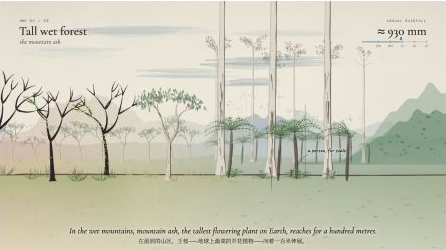
Second frame from the author’s watercolor film. Preserve scientific annotations and their context rather than treating the image as measured field data.
4. Restore narration and music before rendering
This watercolor demo has no build.sh; it uses the preparation and rendering sequence below. Follow its documented preparation sequence after verifying assets and permissions:
"$PY" "$D/tts/gen.py"
"$PY" "$D/asr.py"
sh "$D/music/prep.sh"
"$PY" "$D/music/analyze.py"
"$PY" "$D/music/edit.py"
Listen to the resulting lines and reconcile their durations with the VO table in scene.js before proceeding. Check names, units, and complete endings. The music preparation downloads the credited source; the edit script implements the case’s selected music edit. Verify that it still matches the source and picture cues.
Then mix and render using the case-specific interfaces:
"$PY" "$D/mix.py"
OUT="$PWD/evidence/rain-stills" node "$D/render.mjs" stills 5 20 43 66 90 106
FPS=60 node "$D/render.mjs" video 2
sh "$D/mux.sh"
ffprobe -v error -count_frames -show_streams -show_format -of json \
styles/watercolor/watercolor.mp4
ffmpeg -v error -i styles/watercolor/watercolor.mp4 -f null -
Here 2 is a positional worker count; FPS=60 is an environment setting. The documented duration implies 6,816 frames. Verify output rather than assuming the web release shares every source-render property. Independently decode the file: this renderer does not robustly reject every encoder failure, and the mux uses -shortest.
5. Review the whole painted journey
Check exposed canvas seams during camera movement, consistent plant placement after seeking, legible annotations, speech/music balance, and the complete map ending. A still cannot reveal a clipped spoken sentence or a discontinuous landscape.
Correct only the observed seam, label, or timing problem. Preserve the case's
subject and caveats. Extend the affected wash bounds, restore deterministic
seeding, or recalculate the reviewed cue as appropriate. Show the diff and
fresh boundary frames, then replay the full affected passage with sound.
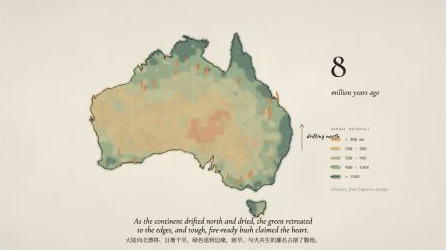
Additional original-film frame. Keep author attribution and any visible caveats when reusing this illustration.
Archive source, versions, credits, reviewed timing, prompts, human changes, and the complete export. The code’s MIT license does not replace the watercolor film’s separate asset terms: Scott Buckley’s Wildflowers is credited under CC BY 4.0, and fonts and map components have their own notices. Preserve those credits when reproducing the case.