 EveryGen AI
EveryGen AI Brand Kit: GPT-Image-2 Concept to Handoff
Plan a small-business brand kit with EveryGen AI. Review the logo, color targets, typography, packaging, and social assets before preparing final files.
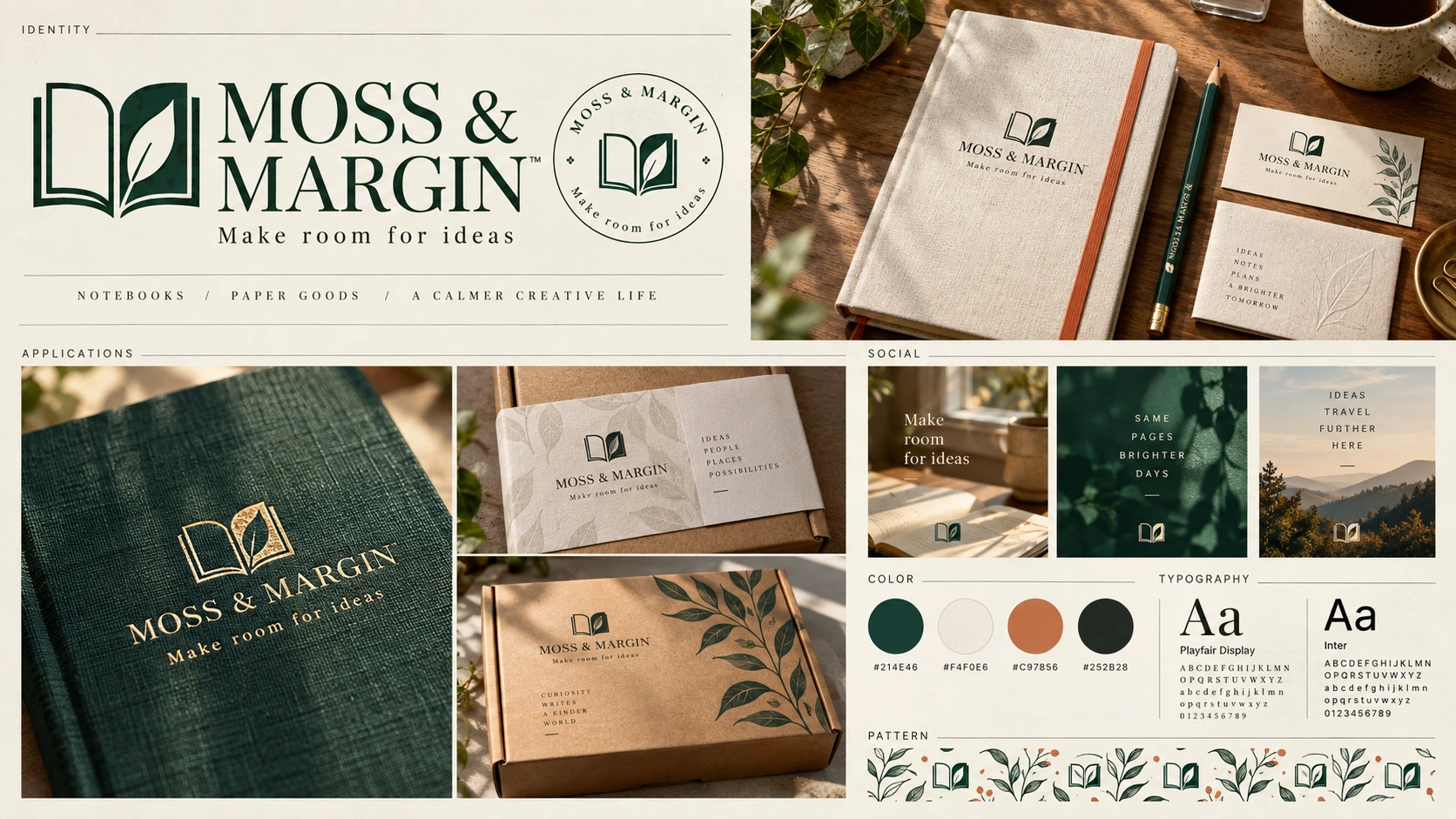
A brand board from EveryGen AI can suggest an identity while leaving lettering, colors, and reusable artwork unresolved. Inspect each part before calling it finished.
This EveryGen AI brand kit walkthrough follows MOSS & MARGIN, a fictional stationery brand. “One day” means concept exploration and review, not guaranteed production readiness.
The illustrations are Codex-generated teaching concepts, not EveryGen AI test outputs or real products. They establish no registered, cleared, or exclusive brand rights.
1. Write the brief and keep the copy outside the image
Begin your EveryGen AI project with one written brief:
MOSS & MARGIN makes thoughtfully simple stationery for everyday writing, with a quiet visual identity built around an open notebook whose right-hand page forms a single leaf.
Keep the exact name and tagline outside EveryGen AI:
MOSS & MARGIN
Make room for ideas
Preserve the uppercase name and ampersand. The tagline uses sentence case without a final period; generated lettering must follow this record.
Choose four color targets before requesting the EveryGen AI board:
| Role | Color direction | Target HEX |
|---|---|---|
| Primary mark | Deep green | #214E46 |
| Main background | Ivory | #F4F0E6 |
| Accent | Terracotta | #C97856 |
| Supporting text | Charcoal | #252B28 |
These are chosen targets, not measurements of EveryGen AI output. A similar-looking swatch does not justify changing the record.
Choose one identity direction for this EveryGen AI request. Avoid combining unrelated logos, complete font families, packaging files, and a website into one image.
2. Generate a concept board with a specific layout
Open EveryGen AI to develop a stationery-brand mark.
The EveryGen AI interface checked on September 30, 2026, starts in Text to Image, GPT Image 2, 1:1, 1K, JPEG, and x1. Change the ratio to 3:2 for this landscape board. Keep 1K, JPEG, and x1 for the initial candidate.
Paste this complete brief:
Create one 3:2 landscape brand-guidelines concept for MOSS & MARGIN,
a fictional stationery brand. Exact tagline: Make room for ideas

Design an original deep-green open-notebook symbol whose right page forms
one leaf. Keep its silhouette, central fold, and lettering readable.

Use a carefully aligned ivory editorial grid with:
- A large primary symbol and wordmark.
- Icon-only and reversed ivory-on-green versions of the SAME mark.
- A clear-space construction example.
- Four target color swatches, labeled exactly:
  #214E46, #F4F0E6, #C97856, #252B28.
- Two typography directions labeled Serif heading and Sans body.
- Small good/bad usage comparisons for proportions, contrast, and clear space.

Keep the name, tagline, and swatch labels legible. Use restrained paper texture
and fine rules. Do not invent registered status, a font license, measured
color accuracy, or production-ready vector files.
The EveryGen AI prompt requests colors and text; it proves neither. Save the candidate and prompt, then inspect the downloaded file.
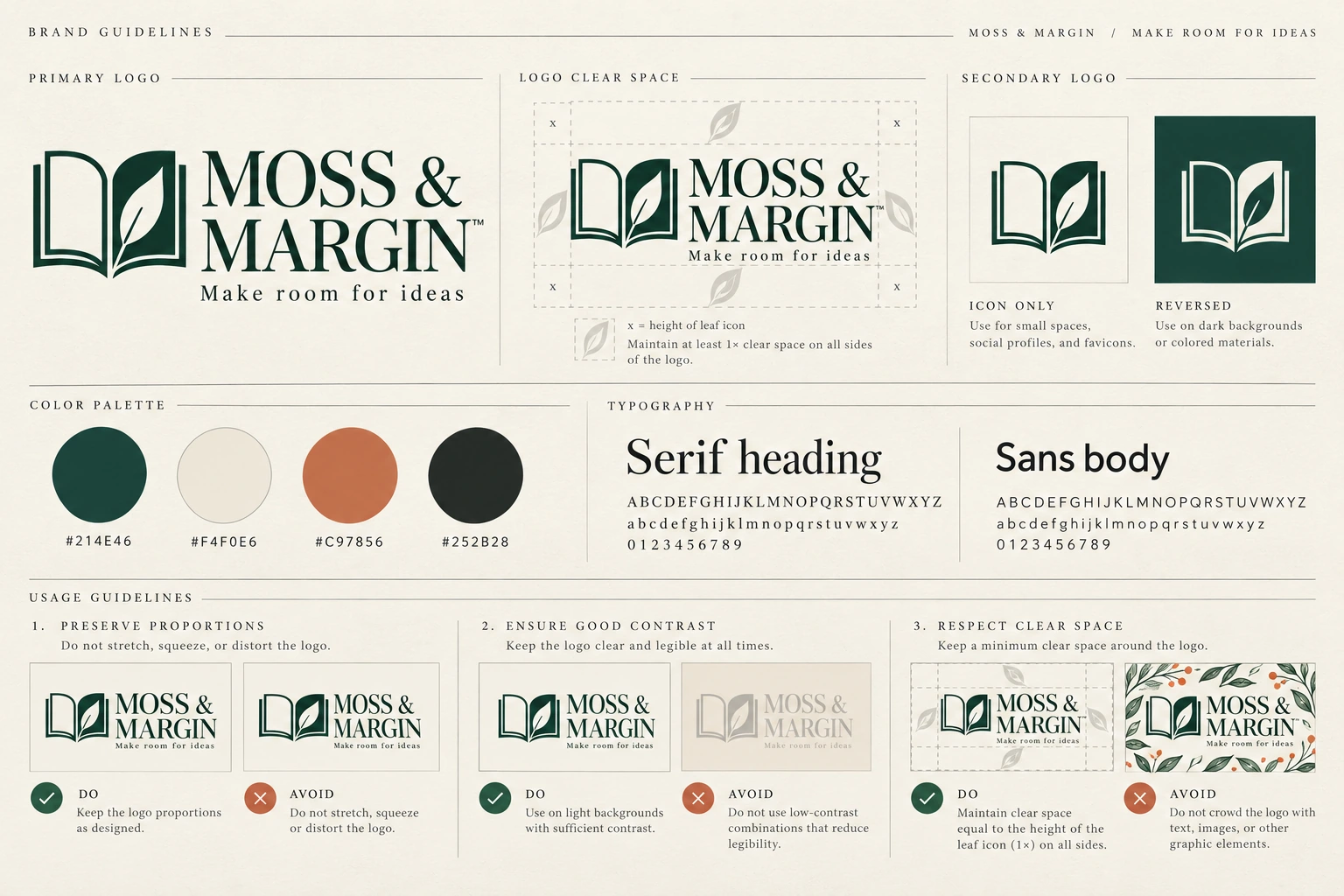
Codex-generated teaching concept, not an EveryGen AI test output or a registered brand identity. The HEX labels are agreed targets; the lightly textured swatch pixels are not verified measurements of those values.
A teaching image’s format does not establish an EveryGen AI export option. Remove unsupported trademark symbols; font names in generated artwork do not prove licensing.
3. Check the symbol and spelling before accepting the direction
Review the mark before its presentation.
The EveryGen AI symbol should read as an open notebook: one leaf formed by the right page, with a visible central fold.
Crop the EveryGen AI symbol temporarily and inspect it at its intended small size, such as a website mark or cover imprint. This crop is only a review aid.
Simplify an unclear leaf or fold before extending the EveryGen AI concept. More pixels cannot resolve an overcomplicated construction.
Compare EveryGen AI lettering character by character: the ampersand, MARGIN, and Make room for ideas must agree with the written source.
Label a suitable EveryGen AI candidate accepted concept reference, not final brand master. Keep that distinction when building reusable assets.
4. Turn the color targets into a usable specification
Record the four screen-color targets as sRGB values alongside the EveryGen AI concept. Include the color space, not just the numbers.
Create controlled solid swatches in an external design application. Keep them separate from the textured EveryGen AI board.
Inspect the downloaded EveryGen AI image with an external color picker. Select sampling positions and record the readings; this is not a platform control.
Sample inside swatches, away from labels and edges. For textured areas, record multiple readings, the file, profile, and target; never invent a measurement.
Rebuild a mismatched specification swatch using its numeric target. Do not relabel it to hide the EveryGen AI image’s difference.
Keep these roles separate:
The concept image shows a color direction.
The color record defines reusable values.
The production artwork applies and checks those values.
Ask the print supplier about preparation and proofing. An EveryGen AI notebook image or HEX label is not a physical color proof.
5. Choose real fonts and record what you selected
Treat EveryGen AI lettering as a visual direction, not proof that a specific font was used or supplied.
Compare real typefaces externally and type both exact strings yourself. Inspect the name, ampersand, tagline, and spacing at their intended sizes.
Choose real typography for the EveryGen AI concept. A suitable heavier heading weight and regular supporting weight may suffice; do not invent a font name.
Keep this record:
| Field | What to record |
|---|---|
| Typeface | Actual family name and version |
| Roles | Brand-name treatment, headings, tagline, and body copy |
| Weights | The exact weights selected |
| Source | Foundry or authorized provider URL |
| License review | License URL, review date, intended uses, and collaborator requirements |
| Layout decisions | Any deliberate tracking, spacing, or size rules |
Check the font provider’s terms for intended uses and sharing. Tell collaborators where to obtain the font; do not assume the software belongs in the kit.
Mark unchecked typography as pending. EveryGen AI lettering is not an installable font or a completed typography record.
6. Use the accepted concept across notebook, packaging, and social applications
Use the second EveryGen AI request to explore a notebook application of the accepted identity, rather than inventing another brand.
Switch EveryGen AI to Image to Image and upload the accepted board, or reuse the approved visual reference. “Approved” here means selected for exploration, not cleared or production-ready.
Recheck 3:2, 1K, JPEG, and x1 in EveryGen AI. A mode change does not establish that earlier settings carried over.
Use this application prompt:
Use the uploaded MOSS & MARGIN concept board as the visual identity reference.

Create one 3:2 landscape application plate with a large ivory hardcover notebook, a matching card and kraft package, and three smaller details for notebook, packaging, and social use.
Make the notebook the primary subject on a warm wood surface.
Make the front cover easy to inspect, with no strong perspective distortion.

Place a rust-colored elastic closure vertically near the viewer's right edge of the notebook.

On the front cover, use the reference's deep-green open-notebook symbol:
- The right-hand page forms one leaf.
- Preserve the central fold and the relationship between the two pages.
- Do not add leaves or redesign the symbol.

Below the symbol, place the exact name:
MOSS & MARGIN

Below the name, place the exact tagline:
Make room for ideas

Reuse the same symbol, name, and tagline consistently on each application.
Keep the three elements readable and away from the elastic closure.
Follow the reference's lettering direction without inventing extra words.

Retain the target palette:
Deep green #214E46
Ivory #F4F0E6
Terracotta #C97856
Charcoal #252B28

Use deep-green artwork on the ivory cover and the terracotta direction for the elastic.
Do not add elements merely to display every palette color.

Use restrained, plausible product lighting.
Do not include the concept board, color swatches, HEX labels, extra notebooks, badges, registration symbols, or unrelated promotional text. Use restrained environmental styling and rich paper, linen, and wood textures.

This is a visual application concept, not a manufacturing specification or a photograph of an existing product.
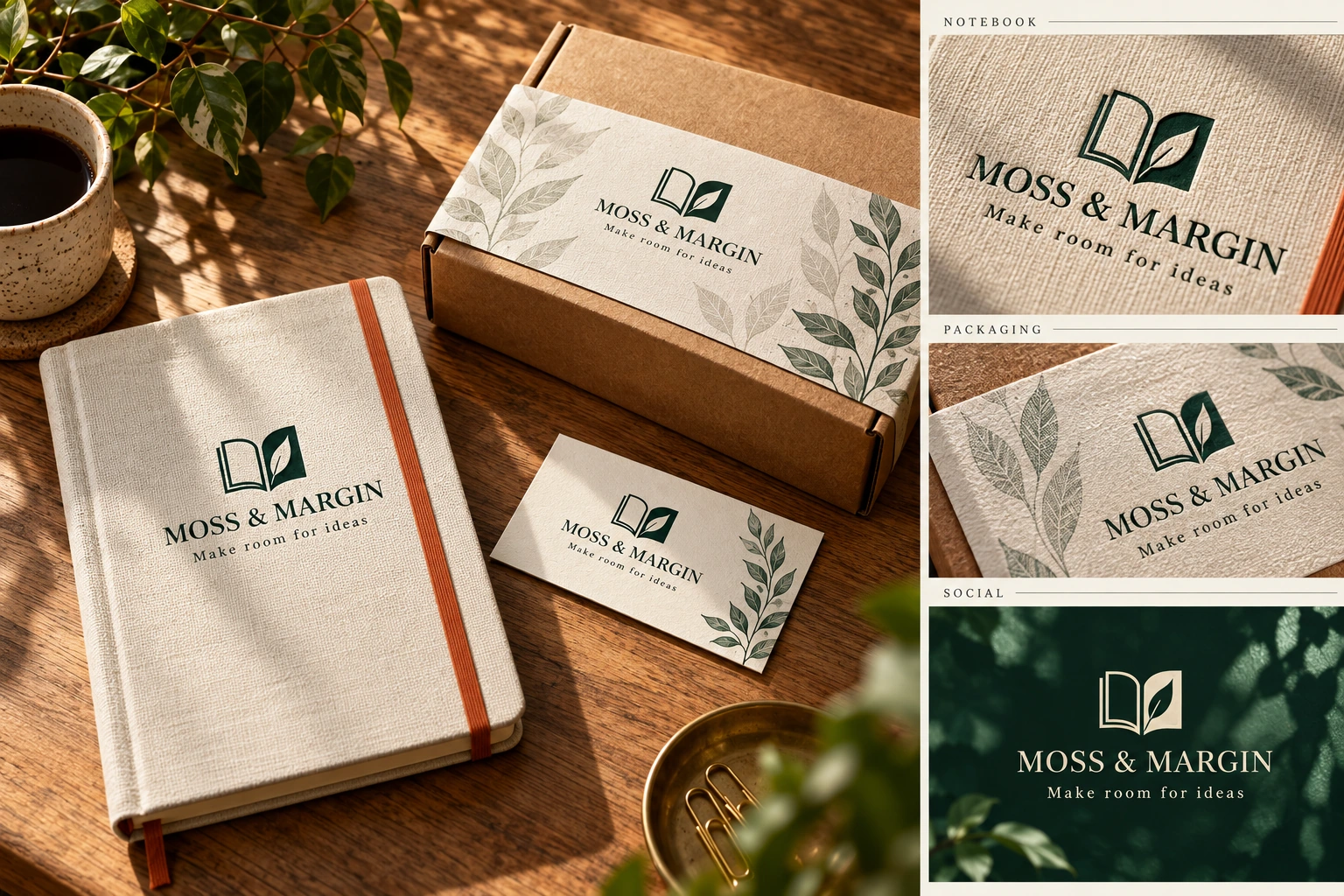
Codex-generated teaching application, not an EveryGen AI test output or a real product photograph. It continues the notebook-and-leaf construction, but does not establish identical geometry, measured color accuracy, or final brand approval.
Compare the EveryGen AI application with its reference: leaf count, fold, page proportions, name, and tagline. Recheck every word.
Check space, readability, and elastic placement in the EveryGen AI draft. Do not extract a final logo or numeric colors from a rendered product cover.
For printing, manually place checked artwork and typeset text into the supplier’s layout. The EveryGen AI application explores an idea; it does not replace that document.
7. Match each failure to the right correction
Keep the accepted reference separate from new EveryGen AI candidates. Preservation instructions do not lock geometry; compare each revision again.
| Problem | Next action |
|---|---|
| The application adds a second leaf or changes the notebook construction. | Return to the accepted board and request only the original single-leaf construction. If it continues to drift, place the approved artwork onto the application in an external design tool. |
| The name or tagline is misspelled. | Request a focused text correction or replace the lettering with real text externally. Recheck the symbol after any generated revision. |
| The HEX label is correct but the swatch pixels differ. | Rebuild the specification swatch with the numeric target. Do not keep regenerating a whole board to obtain a controlled flat fill. |
| The symbol becomes unclear at small size. | Simplify its construction and review it again at the intended size before extending the identity. |
| Changing the elastic moves or distorts the cover artwork. | Return to the last acceptable application. Revise only the elastic, or make the adjustment externally when exact placement matters. |
| A collaborator asks for editable lettering or vector artwork. | Move to typography and path reconstruction. Do not rename the JPEG or describe it as a layered brand file. |
For one symbol correction, use a focused request:
Use the accepted reference’s open-notebook symbol. Keep exactly one leaf formed by the right-hand page. Remove the additional leaf without changing the name, tagline, notebook cover, or elastic placement.
This request defines the change. It does not guarantee that every other detail in EveryGen AI remains untouched.
8. Rebuild the mark before treating it as a master asset
A flat EveryGen AI logo remains raster artwork. Adobe’s raster/vector explanation distinguishes pixels from editable shapes, points, lines, and curves.
Embedding a JPEG in SVG does not create editable paths. Inspect the actual objects and paths, not the filename.
Rebuild or trace the EveryGen AI concept in a vector application. Refine fragments, fold, and page gaps; test different sizes and typeset the exact copy.
Keep an editable source and required exports. Automatic tracing begins reconstruction; it does not finish inspection.
Reuse the checked master for repeated applications instead of generating another EveryGen AI logo for each product.
9. Package the smallest kit someone else can use
After reviewing the EveryGen AI direction, organize the chosen identity in a brand kit. Adobe separates logos, numeric colors, fonts, and templates; one concept board cannot supply them all.
Use this handoff:
| Deliverable | Required contents |
|---|---|
| Brief and exact copy | The one-sentence brief, MOSS & MARGIN, and Make room for ideas |
| Concept references | The accepted board and notebook application, clearly labeled as concepts |
| Logo assets | Checked editable master and appropriate exports; otherwise explicitly marked “reconstruction pending” |
| Color specification | Four targets, color-space information, intended roles, and any recorded verification results |
| Typography record | Real family, weights, roles, source, license review, and editing requirements |
| Application document | A manually laid-out cover using the checked assets when preparing for production |
| Usage note | Chosen logo arrangement, spacing guidance, tested sizes, version, and unresolved items |
Follow font licenses and provide acquisition information where appropriate. Keep abandoned candidates separate from current assets.
Arrange appropriate name and mark checks before commercial use. The EveryGen AI exercise establishes no availability, registrability, or exclusivity.
A useful EveryGen AI brand kit lets another person repeat the identity without guessing colors, inventing fonts, or tracing a product photograph. Checked assets and written decisions complete the handoff.
Extend the accepted identity into the complete concept kit
Extend the accepted EveryGen AI reference across notebook, card, paper wrap, kraft package, and social tile. Compare proportions and lettering; realistic embossing can hide a changed mark.
| Asset | Brief | Review requirement |
|---|---|---|
| Brand board | Primary, secondary, and reversed marks; colors; typography | One coherent identity and exact copy |
| Packaging | Paper sleeve and kraft mailer using the accepted mark | Same symbol, safe margins, readable lettering |
| Social tile | One message, one visual, consistent palette | Readable at feed size; no unsupported claims |
| Working master | Editable mark, real text, entered color values | Rebuilt and checked outside the generated image |
Divide a practical day into briefing, EveryGen AI exploration, application studies, and review. Keep unresolved spelling, readability, or consistency labeled as draft work; mockups supply no dieline, cleared trademark, font license, or reusable vector master.