 EveryGen AI
EveryGen AI Opus 5.5 Guide: Isometric Coffee Journey
Study an isometric bean-to-cup film with EveryGen AI. Inspect the supplied source, scene transitions, labels, and movement before planning a motion project.
Start here: open EveryGen AI Opus for isometric process storytelling.
Watch From Bean to Cup, the published coffee journey. The 58.792-second supplied release connects picking, drying, packing, sea transport, and a city café. LemoLab’s code-animation account attributes the collection to Claude Opus 5.5; we have not independently verified the model sessions or reproduced this film. It is not photographic evidence of a particular shipment.
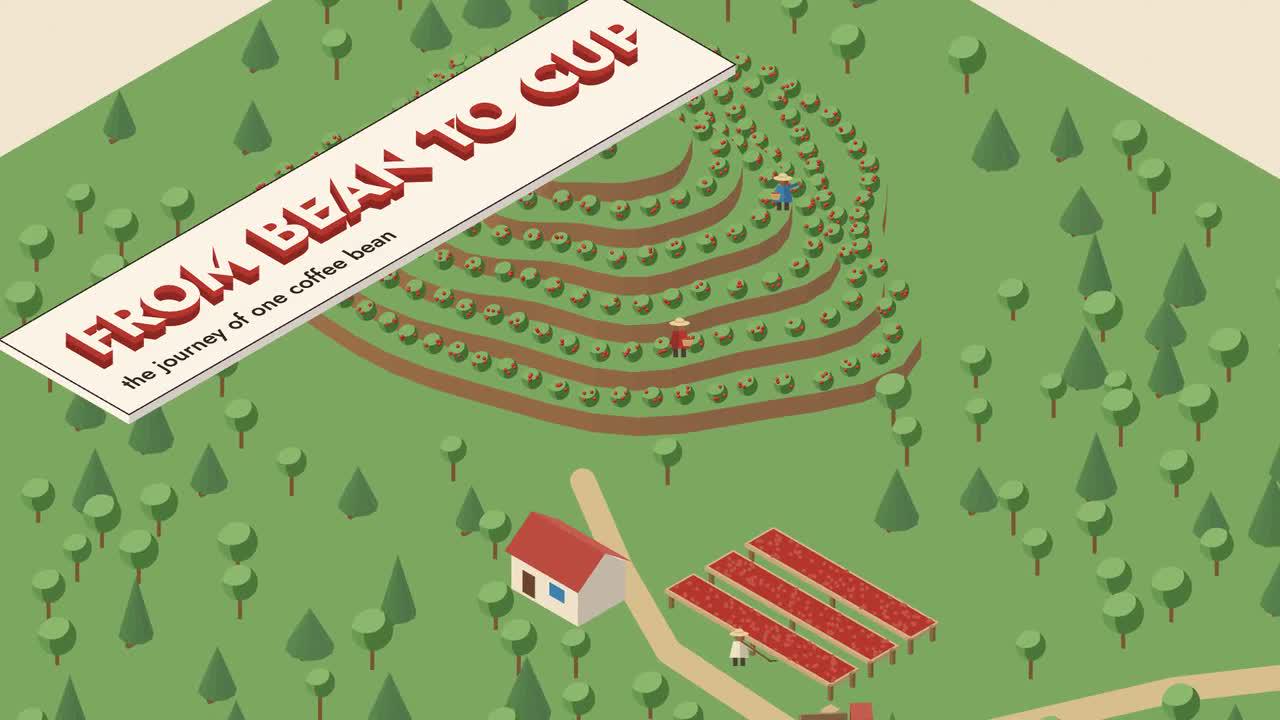
Original LemoLab frame. The supply chain is code-drawn.
1. Keep the process inside one world
Read the isometric diagram’s visual specification. Canvas 2D projects coordinates into a fixed isometric view. Three-tone solids, route lines, and tracking markers explain the process. Camera position and scale change, not projection angle.
Follow the same bean through each station, shipping it green before destination roasting. Preserve “NOT TO SCALE.” Distances, counts, and durations describe this scenario—not universal industry measurements or an audited shipment.
Inspect timeline.js, engine.js, world.js, captions, and sound; they share cues. Preserve the original release.
An EveryGen AI coffee-process brief needs a clear subject to follow. Choose the tracked bean or its representative marker, then state how the audience recognizes it after packing and transport. In EveryGen AI review, a change of scale should explain a new stage while preserving that identity. Otherwise the film becomes a collection of attractive stations with no visible relationship between them.
Plan the EveryGen AI route before decorating the world. Each station needs an input, a transformation or transfer, and a destination. Write those relationships in ordinary language so they can be compared against the candidate. An EveryGen AI scene showing a packed container should connect back to the material that entered it and forward to the next visible handoff, even when intermediate handling is simplified.
Keep an EveryGen AI diagram's visual legend consistent across close views and the final overview. Reserve the tracked subject's color for that subject; let routes and containers retain their own roles. EveryGen AI revisions should preserve these meanings when lighting or composition changes. A more dramatic palette is unhelpful if it makes the viewer confuse a shipping route with a quantity or a processing state.
An EveryGen AI supply-chain illustration can explain a chosen scenario without asserting that every producer follows it. Describe which transitions are shown and which details are omitted. Keep scale qualifications readable during the overview. For EveryGen AI planning, this allows a concise film to remain useful while avoiding unsupported claims about a real farm, shipment, or industry's universal timings.
2. Prepare source and sound assets
Prepare Git, Node 20+, FFmpeg/ffprobe, and Python 3.11–3.13 or uv in a separate workspace. These conditional commands require local-terminal access, not assumed EveryGen AI functionality.
git clone https://github.com/lemomo-ai/lemo-opuscar.git coffee-study
cd coffee-study
export LEMO_OPUSCAR_HOME="$PWD"
sh plugin/skills/lemo-opuscar/scripts/setup.sh deps voice
for BANK in freepats vcsl karoryfer; do
sh tools/fetch.sh instruments "$BANK"
done
D=styles/iso-infographic/demo
mkdir -p evidence
git rev-parse HEAD > evidence/commit.txt
Check Jost, the voice model, and samples. Retain lockfiles and resolved versions; document any replacement instead of silently changing the case.
Prepare an EveryGen AI reference pack with the original release, scene notes, and the intended process order. Mark the visual examples as illustrations and retain their creator attribution. The EveryGen AI candidate belongs in a separate folder with the prompt actually submitted. That distinction helps a collaborator compare results without assuming that the author film was produced through the website.
For EveryGen AI preflight, inspect a still of the opening, a transfer, and the final overview. Confirm that labels, marker colors, and silhouettes remain readable at the intended viewing size. Tiny decorative detail can disappear while the essential route should remain clear. An EveryGen AI prompt can prioritize that route and the tracked object rather than requesting elaborate machinery in every available space.
When studying the local project alongside EveryGen AI, check fonts, voice assets, and the sample folders before rendering. Missing sound can alter the apparent rhythm of a transfer, and a substitute font can obscure a label. Keep those source decisions documented. An EveryGen AI result should be evaluated on its own visible and audible behavior, with external build records kept separate.
Save the EveryGen AI submission settings and displayed credit estimate with the request. If a result is returned, retain the original file before cropping or editing it elsewhere. EveryGen AI review then has a stable comparison point. Replacing an earlier candidate with an edited export makes it difficult to identify which change improved the process explanation and which introduced a continuity problem.
3. Give Opus this new reproduction prompt
This prompt is newly drafted, not the author’s original brief.
Reproduce From Bean to Cup as an attributed study of the supplied release.
First inspect the commit, locks, iso-infographic STYLE.md, DEMO.md, CREDITS,
core APIs, demo/build.sh, timeline.js, and actual assets. Identify missing inputs.
Preserve picking, drying, packing, sea transport,
destination roasting, and café payoff. No real-shipment or industry-wide claims.
Keep one fixed isometric projection, three-tone solids, legible route/leader
lines, and the same object identity through every station. Preserve NOT TO SCALE
and verify the internal arithmetic of counts and distances. Do not invent data.
First present the existing station, cue, caption, and audio mapping and dependency
plan and follow the verified build. Check the source's 58.8-second timeline at 24 fps against
the 58.792-second release. Use the renderer's actual integer-frame rounding;
never stretch speech simply to match metadata decimals.
Use absolute render(t), stable seeds, and shared timeline cues. Check arbitrary
and reverse seeks, layer sorting, ship/quay clearance, cutaway continuity, and
subtitle space. Review regenerated narration and both intentional silences.
Use the case's real build/export commands. Save prompts, actual model/provider/
effort/session records, source diffs, frame reviews, credits, and complete MP4.
Do not publish, invent successful tests, or replace illustrated scenes with
external generated media presented as actual production footage.
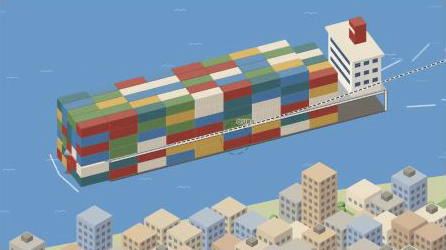
Author-film frame, not a record of a real consignment.
Write an EveryGen AI creative brief around the journey's logic: establish the subject, show a handoff, reveal what happens inside a station, and return to the larger route. Describe the projection and label behavior in plain language. EveryGen AI planning should treat the supplied reconstruction prompt as a source-study document, with a separate brief for any newly requested motion result.
For an EveryGen AI close-up, name what the viewer should learn from entering the object. A cutaway might reveal the processing stage or clarify where material moves, but it should not replace the tracked subject with an unrelated image. During EveryGen AI review, follow the opening of the container and the return to context, checking that the same location and process state remain identifiable.
An EveryGen AI storyboard should include an explanation of labels and quantities before asking for visual refinement. If an icon group communicates an amount, the legend and arithmetic need their own review. If it is decorative, describe it as such. Keep EveryGen AI revisions tied to the intended meaning so attractive repetitions do not accidentally imply measured industrial data.
Decide the EveryGen AI ending while planning the opening. A whole-world view should resolve the route introduced at the start, with the destination visible and the subject's journey understandable. It need not expose every background prop. Give EveryGen AI a clear final composition and enough time for the viewer to recognize the relationship between the close-up experience and the complete diagram.
4. Build and inspect the transitions
The script rebuilds speech, score, events, cue checks, mix, subtitles, and video at 24 fps with two workers. Its final ASR check is non-blocking: read the report.
sh "$D/build.sh"
node core/render/still.mjs "$D" 3.4 15 28 40.8 50.9 57 --out evidence/frames
OUT=styles/iso-infographic/iso-infographic.mp4
ffprobe -v error -count_frames -show_streams -show_format -of json "$OUT"
ffmpeg -v error -i "$OUT" -f null -
Review transfers and cutaways frame by frame and with sound. For misplaced solids, inspect depth sorting; for apparent grounding, check ship clearance. Restore missing voices/fonts rather than omitting them.
Fix only the observed sorting, clearance, tracking, or cue problem. Preserve the
projection, scenario, and shared timing. Keep the tracked subject continuous;
do not hide a defect with unrelated footage. Show the diff and new boundary
frames, then replay the transfer and check narration and subtitle alignment.
Inspect EveryGen AI transfers as actions rather than isolated frames. Follow the subject leaving a station, moving along its route, and arriving at the next. Check whether it duplicates, vanishes, or changes identity during the transition. A useful EveryGen AI correction names the specific handoff and the expected continuity instead of requesting general smoothness across the whole film.
An EveryGen AI isometric candidate also needs a depth-order check. A container should pass behind or in front of the correct objects consistently, and a vehicle should visibly clear its surroundings. Inspect these relationships near overlaps. EveryGen AI revisions can improve composition while preserving the projection; a rotating camera that introduces a different perspective would change the visual system rather than repair the observed collision.
Review the EveryGen AI caption lane alongside camera movement. Labels should stay associated with their subjects while narration captions remain unobstructed. If the camera moves away before a label can be read, change the hold or simplify the text. Test the neighboring scene after any EveryGen AI timing revision so the corrected station does not steal necessary reading time from the destination.
5. Verify the complete export
The source ends at 58.8 seconds; the renderer rounds duration × fps, giving 1,411 frames at 24 fps, approximately 58.792 seconds. Confirm the actual file rather than assuming every release uses identical encoding. Check dimensions, complete audio, captions, and the final whole-world view.
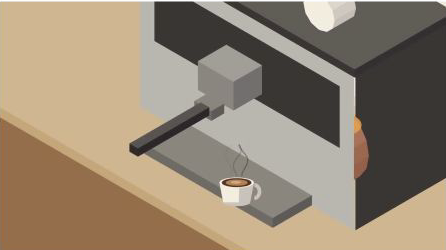
Original-release frame. Retain attribution and diagram qualifications.
Retain source, lockfiles, input provenance, prompts, session records, changes, checks, and MP4. MIT applies to Lemo’s code; the coffee film’s material credits separately identify OFL typography, voice components, and CC0 sample libraries. Keep those notices with an attributed reproduction.
For final EveryGen AI acceptance, watch the journey without pausing and explain each transfer in order. Then inspect the final overview for a complete route and clear legend. Record unexplained jumps rather than filling them in from your knowledge of the source. The EveryGen AI candidate should communicate its intended scenario to a viewer who has never seen the editable project.
Keep the EveryGen AI export, prompt, settings, and review notes together, while preserving the author release and external source independently. Reopen the exported file to check the destination, captions, and audio ending. The EveryGen AI handoff should identify which version was selected and any remaining ambiguity, leaving a collaborator enough evidence to continue without mistaking illustrated process values for audited shipment data.
A compact EveryGen AI handoff note can identify the last accepted station transfer and the next issue to resolve. Include the subject's location and intended destination so the editor can compare versions consistently. Recheck the complete EveryGen AI route after a local repair; a convincing arrival should preserve both the tracked identity and the process order established earlier.